As an Amazon Associate and an AliExpress affiliate, TechGurl earns from qualifying purchases. Some links on this page are affiliate links — if you buy through them we may receive a commission, at no extra cost to you. This never affects which products we cover or what we say about them.
Disclosure: This article contains affiliate links. If you buy through them we may earn a small commission at no extra cost to you.
Finding the best gaming mice for your specific playstyle can dramatically improve your aim, reaction time, and comfort during long gaming sessions. Whether you are competing in high-stakes tactical shooters or exploring massive open-world RPGs, having a reliable sensor, low-latency connection, and an ergonomic design is non-negotiable in 2026. Tech has advanced rapidly, with ultra-lightweight frames, optical switches, and 8K polling rates now becoming standard features rather than niche luxuries.
Why Upgrading to the Best Gaming Mice Matters in 2026
Gaming mice have evolved far beyond basic office mice with extra flash. Today’s flagship options boast sub-60-gram weights, flawless optical sensors, durable microswitches, and zero-latency wireless connectivity. Standard mice often suffer from sensor spin-outs, click latency, and heavy builds that induce wrist fatigue over extended play sessions. Investing in a top-tier gaming mouse ensures every minute wrist flick translates smoothly to on-screen action, giving you a tangible edge in competitive titles.
Moreover, software customization has improved tremendously, allowing granular adjustment of DPI steps, lift-off distances, optical debounce times, and macro key assignments. Modern optical sensors function impeccably across virtually any surface, while advanced battery tech offers weeks of play on a single charge without adding unnecessary bulk.
1. Logitech G Pro X Superlight 2
The Logitech G Pro X Superlight 2 stands as a pinnacle of competitive wireless mice. Weighing just 60 grams, it upgrades its iconic predecessor with LIGHTFORCE hybrid optical-mechanical switches and the HERO 2 sensor. This sensor supports 32,000 DPI and up to 4,000 Hz polling rates, delivering ultra-precise tracking without smoothing or filtering. The battery life is equally impressive, offering up to 95 hours of continuous motion on a single charge via USB-C.
In hand, the symmetrical shape remains universal enough for palm, claw, or fingertip grips. Its smooth PTFE feet ensure effortless gliding across cloth and glass pads alike. While it skips flashy RGB lighting to maximize performance and battery longevity, serious esports players will appreciate its uncompromising commitment to raw speed and reliability.
Logitech G Pro X Superlight 2 — check today’s price
2. Razer DeathAdder V3 Pro
For gamers who favor an ergonomic, right-handed contour, the Razer DeathAdder V3 Pro delivers unmatched performance. Weighing only 63 grams, Razer re-engineered the classic DeathAdder shape with guidance from top esports pros, resulting in improved side grips and an elevated scroll wheel. Inside, it packs the Focus Pro 30K Optical Sensor and Gen-3 Optical Mouse Switches rated for 90 million clicks with zero double-clicking issues.
With Razer HyperSpeed wireless technology, connectivity is rock-solid. When paired with the optional HyperPolling Wireless Dongle, it supports true 8,000 Hz wireless polling rates for sub-millisecond response times. Its textured finish provides solid grip even during intense, sweaty matches, making it easily one of the best gaming mice for palm and claw grip users alike.
Razer DeathAdder V3 Pro — check today’s price
3. SteelSeries Aerox 3 Wireless
If you love ultra-lightweight honeycomb designs and eye-catching RGB lighting, the SteelSeries Aerox 3 Wireless is a fantastic option. Weighing in at 68 grams, its perforated shell is protected by AquaBarrier tech, giving it an IP54 rating against dust, dirt, and liquid spills. Powered by the TrueMove Air optical sensor and Golden Micro IP54 switches, it balances tactile feedback with impressive accuracy.
Dual wireless capabilities allow you to switch seamlessly between 2.4 GHz ultra-low latency gaming and Bluetooth 5.0 for everyday productivity. Fast charging via USB-C gives you 40 hours of gameplay from just 15 minutes of charging, while a full charge delivers up to 200 hours in Bluetooth mode. It proves that airy honeycomb designs can be both durable and stylish.
SteelSeries Aerox 3 Wireless — check today’s price
4. ASUS ROG Harpe Ace Aim Lab Edition
Developed in close collaboration with performance analysis experts at Aim Lab, the ASUS ROG Harpe Ace Aim Lab Edition is tailored for FPS competitors seeking precise control. At a featherweight 54 grams, it features a bio-based nylon shell that reduces weight without sacrificing structural rigidity. The ROG AimPoint optical sensor pushes sensitivity up to 36,000 DPI with minimal CPI deviation.
The mouse also features ROG SpeedNova wireless technology, ensuring stable connection speeds in congested wireless environments. Gamers can use the Aim Lab Settings Optimizer software to analyze their playstyle and automatically tune DPI, angle snapping, and lift-off distance. It is a data-driven masterpiece crafted for high-tier aimers.
ASUS ROG Harpe Ace Aim Lab Edition — check today’s price
5. Corsair M65 RGB Ultra
For players who prefer a heavier, feature-packed mouse tailored for tactical shooters and customization, the Corsair M65 RGB Ultra shines. Built on an iconic aluminum frame, it features a tunable weight system ranging from 97g to 115g. Its Marksman 26,000 DPI sensor and optical QUICKSTRIKE buttons offer near-zero gap execution for lightning-fast shot triggering.
A standout feature is its six-axis gyro and accelerometer, enabling customizable tilt gestures for quick weapon swaps or reloading. It also retains the iconic side sniper button, which instantly lowers DPI for steady long-range aiming. If ultra-lightweight options feel too flighty for your hand, this customizable workhorse delivers weight and precision in equal measure.
Corsair M65 RGB Ultra — check today’s price
Comparison Table: Top Gaming Mice
| Model | Weight | Sensor DPI | Connectivity | Battery Life |
|---|---|---|---|---|
| Logitech G Pro X Superlight 2 | 60g | 32,000 DPI | 2.4GHz LIGHTSPEED | Up to 95 hrs |
| Razer DeathAdder V3 Pro | 63g | 30,000 DPI | 2.4GHz HyperSpeed | Up to 90 hrs |
| SteelSeries Aerox 3 Wireless | 68g | 18,000 DPI | 2.4GHz / Bluetooth | Up to 200 hrs |
| ASUS ROG Harpe Ace | 54g | 36,000 DPI | 2.4GHz / Bluetooth | Up to 90 hrs |
| Corsair M65 RGB Ultra | 97g – 115g | 26,000 DPI | 2.4GHz / Bluetooth | Up to 120 hrs |

Best value picks on AliExpress
If you are shopping on a tight budget or want to explore high-value imports featuring flagship PAW3395 sensors and lightweight shells, check out these popular options directly from AliExpress.

AJAZZ AJ179 PRO PAW3395 Wireless Gaming Mouse with RGB Charging Base 26000DPI Lightweight
$26.22 on AliExpress

ATK A9 Ultra Wireless Gaming Mouse A9/A9 SE/A9 Plus/A9 Pro Tri-Mode 8K 53g Lightweight E-s
$27.47 $57.24 on AliExpress
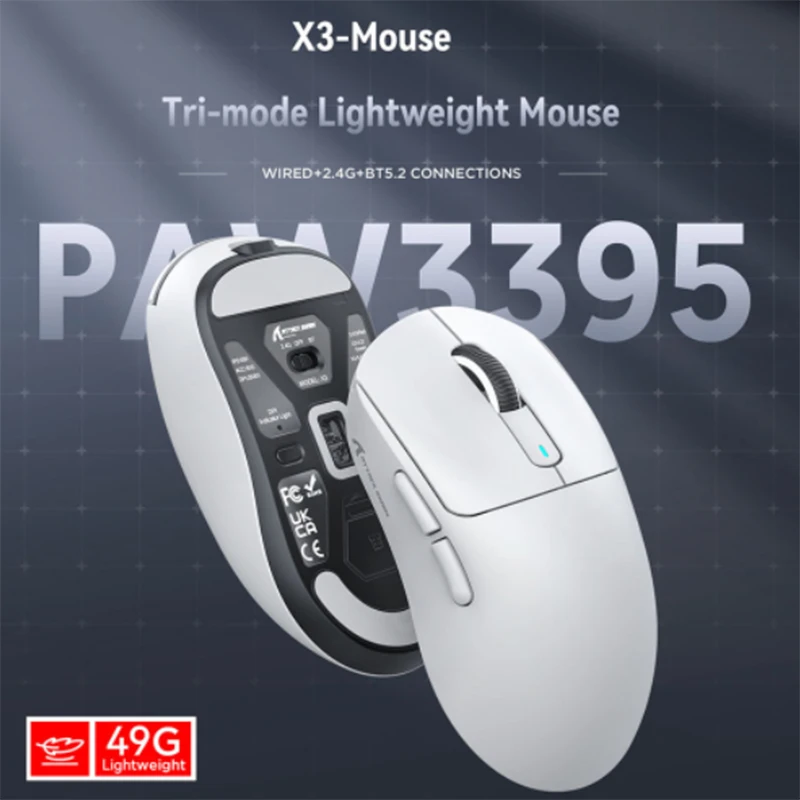
Attack Shark X3/X3PRO Bluetooth Mouse,PixArt PAW3395,26000dpi,2.4g Wireless Tri-Mode Conne
$33.00 $68.75 on AliExpress

Attack Shark X3Pro X3 Wireless Mouse Lightweight PAW3395 26000dpi Tri-Mode Connection Mac
$34.40 $68.81 on AliExpress
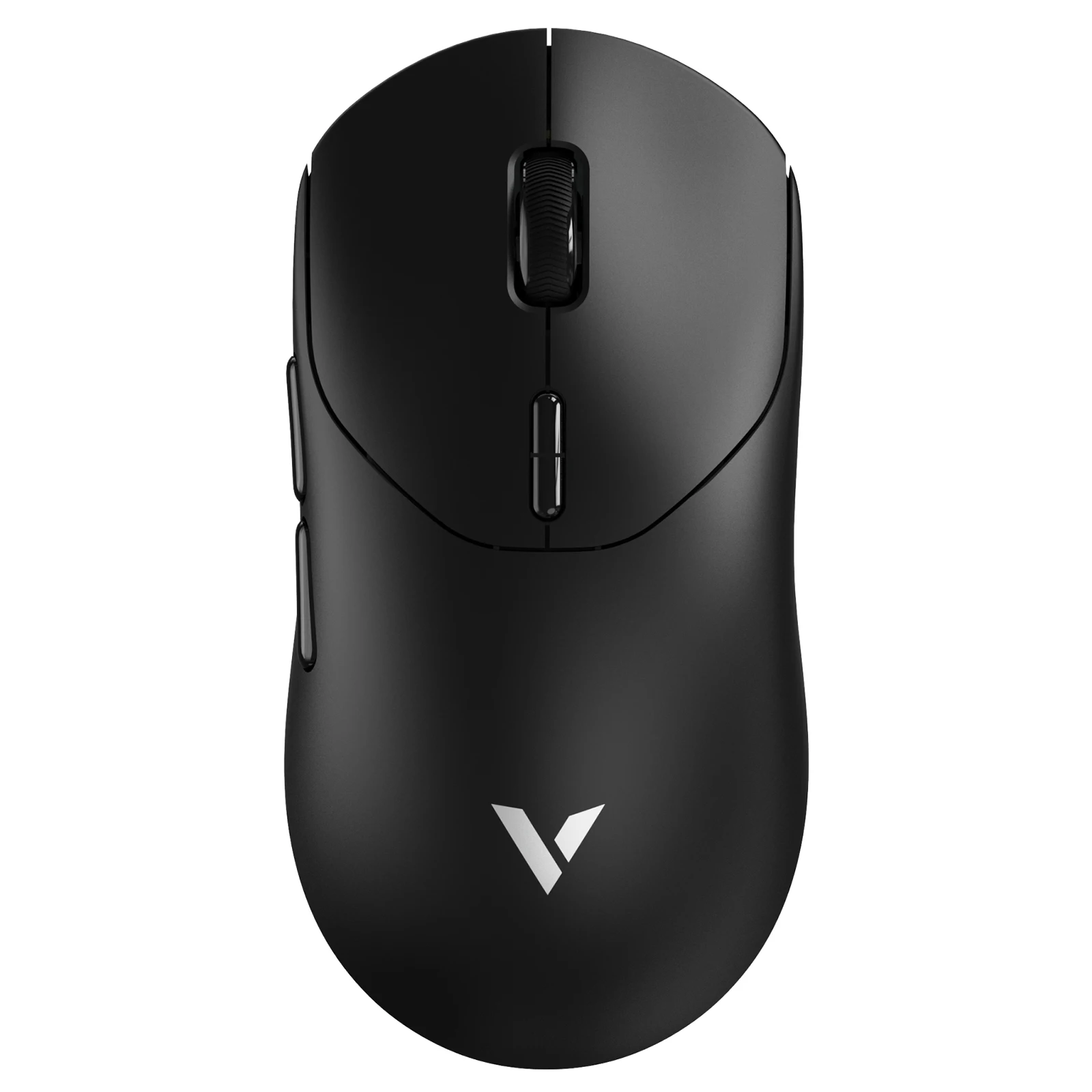
Rapoo VT2 MAX Wireless E-sports Gaming Mouse with 8K Polling Rate Optical Sensor Ergonomic
$69.94 $163.61 on AliExpress

How to Choose the Best Gaming Mice for Your Setup
Selecting the right pointer requires understanding key hardware specifications, hand ergonomics, and grip styles. Understanding how computer mouse technology functions can help you distinguish between marketing buzzwords and actual mechanical upgrades.
- Weight and Build Quality: Ultra-lightweight mice (under 65 grams) dominate competitive gaming because they lower inertia, allowing faster wrist movements and reducing fatigue. However, heavier mice with adjustable weights cater better to players who desire stability and deliberate control.
- Sensor DPI and Polling Rate: Sensor accuracy is crucial. Look for modern optical sensors offering at least 18,000 DPI with zero smoothing or acceleration. Polling rates of 1,000 Hz are standard, while 4,000 Hz and 8,000 Hz offer micro-second latency reductions for high refresh rate monitors.
- Grip Style and Shape: Ergonomic mice feature asymmetric curves designed specifically for right-handed palm grippers, offering thumb support and relaxed hand positioning. Symmetrical (ambidextrous) shapes suit claw and fingertip grip styles where quick flicks are essential.
- Switches: Mechanical vs Optical: Optical switches use light beams to register inputs, virtually eliminating debounce delay and double-click degradation over time. Traditional mechanical switches offer tactile clicks but may wear down faster over millions of actuations.
- Wireless vs Wired: Modern 2.4 GHz low-latency wireless technology matches or beats wired response times. Unless you hate battery management, wireless is standard for peak freedom of movement.
Frequently Asked Questions
Are wireless gaming mice as fast as wired ones?
Yes! Modern 2.4 GHz wireless gaming mice utilize proprietary protocols (like Logitech LIGHTSPEED and Razer HyperSpeed) that deliver sub-1ms response times, making them functionally identical to wired mice in speed while providing superior freedom of movement.
What DPI setting should I use for gaming?
Most professional esports athletes use between 400 and 1600 DPI combined with low in-game sensitivity. High DPI sensors (up to 36,000 DPI) are great for tracking fidelity, but ultra-high settings make the cursor too fast for precise control unless adjusted in-game.
What is the difference between claw, palm, and fingertip grips?
Palm grip rests the entire hand and palm on the mouse body for maximum comfort. Claw grip archs fingers with palm contact on the back edge, offering quick clicking and control. Fingertip grip touches the mouse using only the finger pads for lightning-fast flicks.
Do high polling rates like 4,000Hz or 8,000Hz matter?
Higher polling rates send location updates to your PC up to 8,000 times per second instead of 1,000. This provides smoother cursor motion on high refresh rate monitors (240Hz+), though it requires a fast CPU and drains mouse battery life quicker.
Final Thoughts
Choosing among the best gaming mice comes down to matching your primary game genres, hand size, and personal ergonomics. Whether you prefer the featherlight feel of the Logitech G Pro X Superlight 2 or the tailored ergonomics of the Razer DeathAdder V3 Pro, upgrading your peripheral will elevate your performance. Check out our DELL OPTIPLEX 7040 GTX1050ti UPGRADE to ensure your entire gaming desk setup is optimized for peak performance in 2026.