As an Amazon Associate and an AliExpress affiliate, TechGurl earns from qualifying purchases. Some links on this page are affiliate links — if you buy through them we may receive a commission, at no extra cost to you. This never affects which products we cover or what we say about them.
Disclosure: This article contains affiliate links. If you buy through them we may earn a small commission at no extra cost to you.
In the rapidly evolving world of PC gaming, having the right peripherals can make all the difference between victory and defeat. For 2026, the quest for the best gaming mouse continues, with manufacturers pushing boundaries in sensor technology, ergonomics, and wireless performance. A top-tier gaming mouse isn’t just a tool; it’s an extension of your will, translating every flick and click into precise in-game actions. Whether you’re a competitive esports player seeking every millisecond of advantage or a casual gamer looking for comfort and reliability, selecting the perfect pointing device is crucial.

This comprehensive guide dives deep into the market to help you find the ultimate gaming mouse for your needs in 2026. We’ve meticulously reviewed the latest models, considering factors like sensor accuracy, weight, button customization, battery life, and overall build quality. Get ready to upgrade your arsenal and elevate your gameplay to new heights.
Why Your Gaming Mouse Matters More Than You Think
For many, a mouse is just a mouse. But for gamers, it’s the primary interface with the digital world, influencing everything from aiming precision in FPS games to macro execution in MOBAs and MMOs. A high-quality gaming mouse offers:
- Superior Sensor Performance: High DPI (Dots Per Inch) for sensitivity and IPS (Inches Per Second) for tracking speed ensure your movements are accurately translated, even during rapid flicks.
- Ergonomic Comfort: Long gaming sessions demand a mouse that fits your hand perfectly, reducing fatigue and preventing strain.
- Customizable Buttons: Programmable buttons allow you to bind complex actions or frequently used commands, giving you a tactical edge.
- Durability: Gaming mice are built to withstand millions of clicks and intense usage, far beyond what standard office mice can endure.
- Low Latency: Especially critical for wireless models, minimal input lag ensures your actions register instantly.
Investing in the best gaming mouse is an investment in your performance and enjoyment. Let’s explore the top contenders for 2026.
1. Logitech G Pro X Superlight 2
The Logitech G Pro X Superlight 2 takes everything that made its predecessor an esports legend and refines it further. Weighing an astonishingly light ~60g, this mouse feels almost imperceptible in hand, allowing for incredibly fast and fluid movements. It features Logitech’s HERO 2 optical sensor, offering unparalleled precision up to 32,000 DPI and a polling rate of 2000Hz (with compatible receivers), ensuring every twitch is tracked with absolute accuracy. Its minimalistic design, robust LIGHTSPEED wireless technology, and exceptional battery life make it the go-to choice for competitive players who demand peak performance without compromise.
Logitech G Pro X Superlight 2 — check today’s price
2. Razer DeathAdder V3 Pro
Razer’s DeathAdder series has long been a favorite for its iconic ergonomic shape, and the V3 Pro elevates it to new heights. It retains the comfortable right-handed design while significantly reducing weight to just 63g. Equipped with Razer’s Focus Pro 30K optical sensor, it boasts an incredible 30,000 DPI and an industry-leading 750 IPS tracking speed, making it one of the most accurate sensors on the market. The DeathAdder V3 Pro also features Razer’s Hyperspeed Wireless for ultra-low latency and optical mouse switches for lightning-fast, debounce-free clicks. It’s an ideal choice for FPS players seeking a blend of comfort, speed, and precision.
Razer DeathAdder V3 Pro — check today’s price
3. SteelSeries Aerox 9 Wireless
For MMO and MOBA players, the SteelSeries Aerox 9 Wireless is a dream come true. This lightweight (89g) powerhouse packs a whopping 12 programmable side buttons, giving you an unparalleled level of macro control. Its TrueMove Air optical sensor delivers flawless tracking up to 18,000 DPI, while Quantum 2.0 Wireless technology ensures a stable, lag-free connection. The Aerox 9 Wireless also boasts an impressive 180-hour battery life and AquaBarrier™ protection against dust and water splashes, making it a durable and versatile option for intense, long gaming sessions where button accessibility is key.
SteelSeries Aerox 9 Wireless — check today’s price
4. Corsair Dark Core RGB Pro SE
The Corsair Dark Core RGB Pro SE offers a premium wireless experience with a focus on ergonomics and versatility. Its contoured shape and interchangeable side grips provide exceptional comfort for palm and claw grip users. Featuring an 18,000 DPI optical sensor, ultra-fast SLIPSTREAM WIRELESS technology, and a 2,000Hz hyper-polling rate, it delivers competitive performance. What sets it apart is its Qi wireless charging compatibility, allowing you to top up its battery on any Qi charging pad. With nine programmable buttons and dynamic RGB lighting, it’s a feature-rich option for gamers who appreciate both performance and aesthetics.
Corsair Dark Core RGB Pro SE — check today’s price
5. HyperX Pulsefire Haste 2
The HyperX Pulsefire Haste 2 is an excellent choice for gamers seeking a lightweight, high-performance wired mouse that doesn’t break the bank. Weighing just 53g, it’s one of the lightest wired mice available, perfect for quick, precise movements. It features the HyperX 26K Sensor, offering a maximum DPI of 26,000 and a blazing 8,000Hz polling rate for incredibly responsive gameplay. With its comfortable symmetrical shape, low-friction skates, and durable switches, the Pulsefire Haste 2 provides a competitive edge for a budget-friendly price, proving that you don’t need to spend a fortune to get a great gaming mouse.
HyperX Pulsefire Haste 2 — check today’s price
Comparison Table: Best Gaming Mice of 2026
| Feature | Logitech G Pro X Superlight 2 | Razer DeathAdder V3 Pro | SteelSeries Aerox 9 Wireless | Corsair Dark Core RGB Pro SE | HyperX Pulsefire Haste 2 |
|---|---|---|---|---|---|
| Connectivity | Wireless (LIGHTSPEED) | Wireless (Hyperspeed) | Wireless (Quantum 2.0) | Wireless (SLIPSTREAM) | Wired |
| Weight | ~60g | 63g | 89g | ~142g | 53g |
| Sensor (Max DPI) | HERO 2 (32,000) | Focus Pro 30K (30,000) | TrueMove Air (18,000) | Custom Optical (18,000) | HyperX 26K (26,000) |
| Polling Rate | 2000Hz | 1000Hz (4000Hz with dongle) | 1000Hz | 2000Hz | 8000Hz |
| Buttons | 5 | 5 | 18 (12 side) | 9 | 6 |
| Grip Style | Claw/Fingertip | Palm/Claw | Palm/Claw | Palm/Claw | Claw/Fingertip |
| Battery Life | 95 hours | 90 hours | 180 hours | 50 hours (RGB off) | N/A |
| Key Feature | Ultra-lightweight esports focus | Iconic ergonomic shape, extreme accuracy | MMO/MOBA specialist, many buttons | Qi wireless charging, versatile ergonomics | Ultra-light wired, 8KHz polling |
Best value picks on AliExpress
AliExpress can be a treasure trove for finding great gaming peripherals at competitive prices, especially if you’re looking for a solid gaming mouse without the premium brand price tag. While some options might require a bit more research into seller reviews, you can often find mice that offer excellent performance-per-dollar.
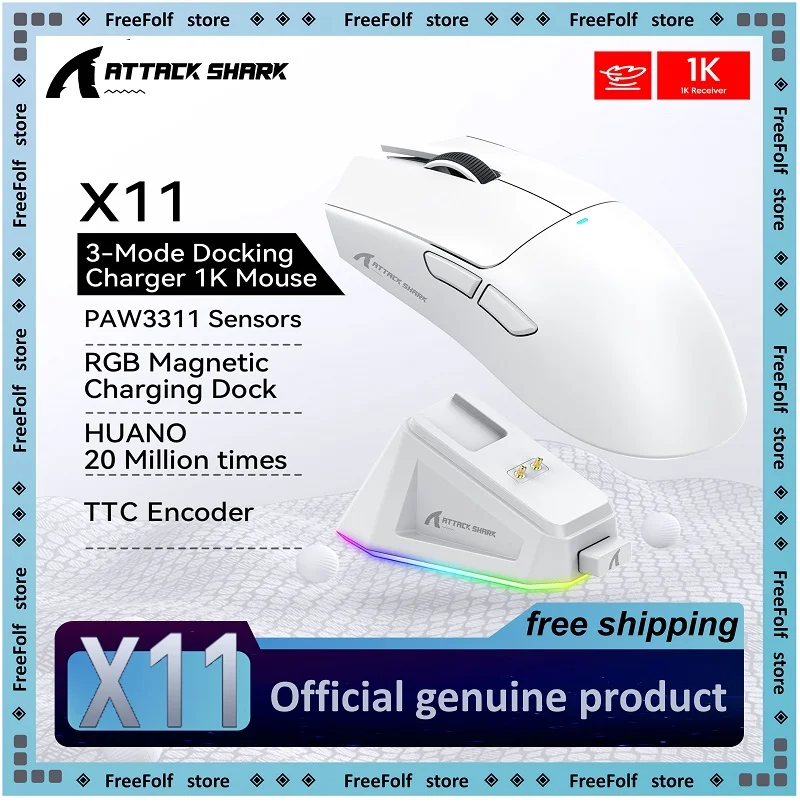
Attack Shark X11 X11SE Wireless Gaming Mouse 3-Mode , PAW3311, 22000DPI, 400IPS, PC Gamin
$25.97 $54.09 on AliExpress

AJAZZ AJ179 PRO PAW3395 Lightweight Wired Wireless Mouse with Magnetic Charging Base Ergon
$24.41 $50.85 on AliExpress
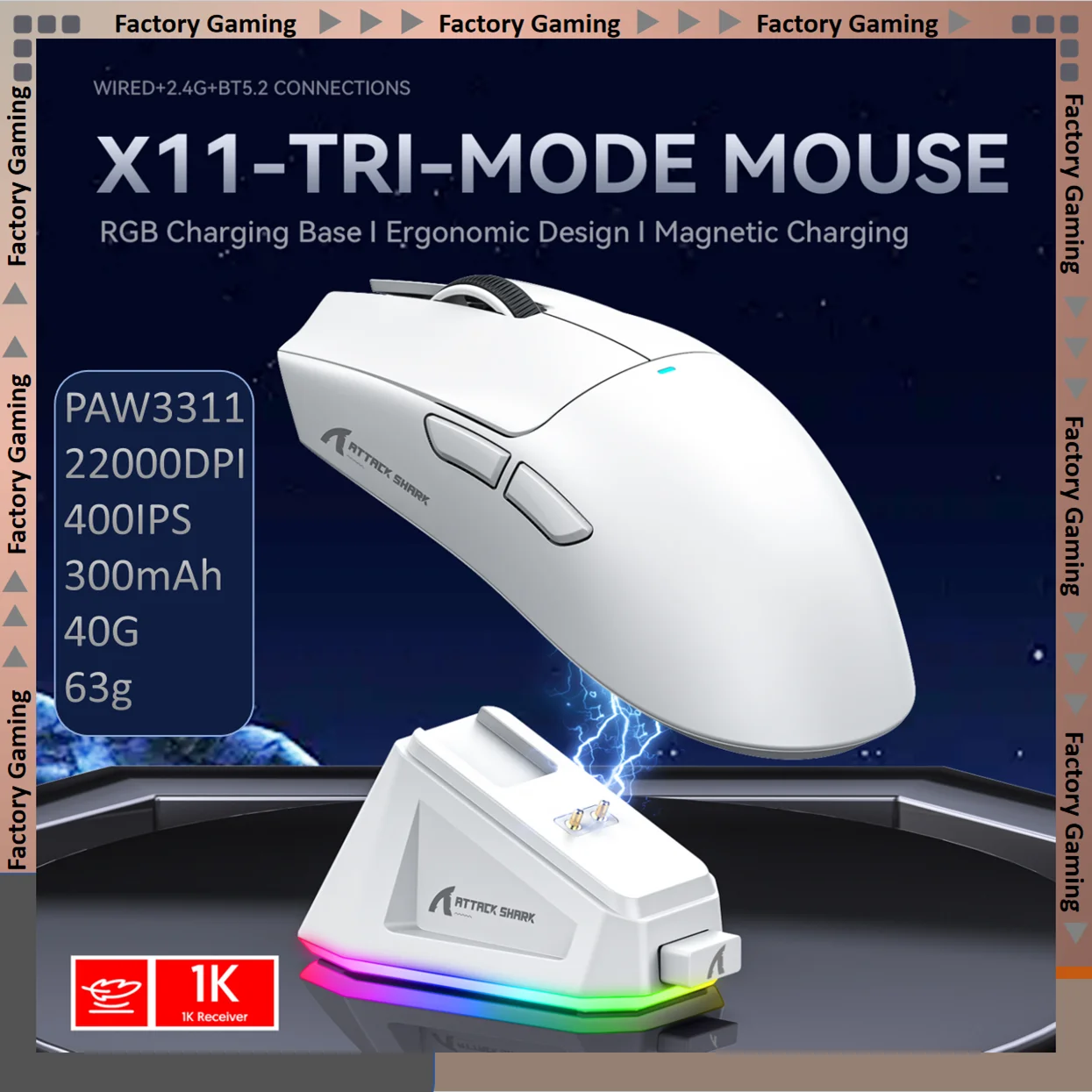
ATTACK SHARK X11-Mouse Tri-Mode Lightweight Gaming Mouse,PAW3311,22000DPI,400IPS,40G,1K Re
$30.27 $63.06 on AliExpress
AJAZZ AJ179 PRO PAW3395 Lightweight Wired Wireless Mouse with Magnetic Charging Base Ergon
$22.55 $52.38 on AliExpress

Attack Shark X3Pro X3 Wireless Mouse Lightweight PAW3395 26000dpi Tri-Mode Connection Mac
$33.13 $66.27 on AliExpress
How to Choose the Best Gaming Mouse for You
With so many options, finding the perfect best gaming mouse can seem daunting. Consider these key factors to narrow down your choices:
Grip Style
- Palm Grip: Your entire palm rests on the mouse, with fingers flat. Best suited for larger, ergonomically shaped mice.
- Claw Grip: Your palm rests on the back of the mouse, with fingers arched like a claw. Works well with medium-sized, often ambidextrous mice.
- Fingertip Grip: Only your fingertips touch the mouse, allowing for maximum agility. Ideal for smaller, lighter mice.
Sensor Type and Performance
Most modern gaming mice use optical sensors, which are generally preferred for their precision and tracking speed. Look for high DPI (Dots Per Inch) and IPS (Inches Per Second) values, but remember that higher numbers don’t always mean better for everyone. A good sensor will track flawlessly at your preferred sensitivity without acceleration or jitter.
Wired vs. Wireless
- Wired: Offers zero latency, no battery concerns, and often lighter weight. Ideal for competitive players who prioritize absolute reliability.
- Wireless: Provides freedom of movement, reduces cable drag, and cleans up your desk. Modern wireless technology like Logitech’s LIGHTSPEED or Razer’s Hyperspeed offers near-wired performance. Battery life and potential for interference are considerations.
Weight and Size
Lighter mice (under 80g) are favored by FPS players for quick, agile movements. Heavier mice can offer more stability and are often preferred by RTS or MOBA players. Size should match your hand size and grip style for optimal comfort and control.
Buttons and Customization
Consider how many programmable buttons you need. FPS players might only need a few, while MMO/MOBA players often benefit from mice with multiple side buttons for macros. Software customization for DPI settings, macros, and RGB lighting is also important for fine-tuning your experience.
Build Quality and Durability
A gaming mouse will endure millions of clicks and countless hours of use. Look for durable switches (like Omron or optical switches), robust plastic construction, and quality feet (PTFE) for smooth gliding.
FAQ: Your Top Questions About Gaming Mice Answered
What DPI should I use for gaming?
There’s no single ‘best’ DPI. It largely depends on your personal preference, screen resolution, and game type. Many professional players use relatively low DPI settings (400-1600) combined with lower in-game sensitivity for more precise aiming. Experiment to find what feels most comfortable and accurate for you.
Are wireless gaming mice as good as wired ones in 2026?
Yes, absolutely! Modern wireless gaming mice, utilizing advanced technologies like Logitech’s LIGHTSPEED, Razer’s Hyperspeed, or SteelSeries’ Quantum 2.0 Wireless, offer latency performance that is virtually indistinguishable from wired mice. They provide the freedom of movement without sacrificing competitive performance, though they do require occasional charging.
How important is mouse weight for gaming?
Mouse weight is highly subjective but generally, lighter mice (under 80g) are preferred by FPS players for quick, precise flick shots and reduced arm fatigue over long sessions. Heavier mice can offer more stability and a sense of control for some users, especially in games that don’t require rapid, sweeping movements. Test different weights to see what suits your playstyle.
What is polling rate and why does it matter?
Polling rate (measured in Hz) is how often your mouse reports its position to your computer. A 1000Hz polling rate means the mouse reports 1000 times per second (every 1ms). Higher polling rates (e.g., 2000Hz or 8000Hz) reduce input lag, making your mouse feel more responsive. While beneficial for competitive gaming, the difference might be imperceptible to casual players, and very high polling rates can consume more CPU resources.
Conclusion
Choosing the best gaming mouse for 2026 is a personal journey, but with the insights from this guide, you’re well-equipped to make an informed decision. Whether you prioritize feather-light agility, ergonomic comfort, or a plethora of programmable buttons, there’s a perfect mouse out there to elevate your gaming experience. Remember to consider your grip style, preferred game genres, and budget. For a deeper dive into the science behind mouse sensors, you can check out this Wikipedia article on optical mice. Investing in the right peripheral can truly transform your gameplay and overall enjoyment. Don’t forget to check out our other guides for more new Microsoft Ergonomic Bluetooth Mouse gaming gear recommendations!