As an Amazon Associate and an AliExpress affiliate, TechGurl earns from qualifying purchases. Some links on this page are affiliate links — if you buy through them we may receive a commission, at no extra cost to you. This never affects which products we cover or what we say about them.
Disclosure: This article contains affiliate links. If you buy through them we may earn a small commission at no extra cost to you.
In 2026, the demand for versatile and powerful usb-c hubs for laptops continues to soar as manufacturers slim down devices, often at the expense of essential ports. Modern laptops, especially ultrabooks and MacBooks, frequently feature only a handful of USB-C or Thunderbolt ports, leaving users scrambling for ways to connect their external monitors, USB drives, Ethernet cables, and SD cards. This is where a high-quality USB-C hub or docking station becomes an indispensable tool, transforming a single port into a comprehensive connectivity solution. Whether you’re a remote worker needing a robust desktop setup, a creative professional managing large files, or a student looking for a portable expansion, finding the right hub can dramatically enhance your productivity and streamline your workflow. Our guide cuts through the noise to bring you the top picks for 2026, ensuring you find a hub that meets your specific needs for power, performance, and portability.

Why USB-C Hubs and Docks are Essential in 2026
The evolution of laptop design has brought us incredibly thin and light machines, but this often comes at the cost of traditional ports. While USB-C and Thunderbolt ports offer incredible versatility, supporting power, data, and video over a single cable, relying solely on them can be limiting. A good USB-C hub or docking station bridges this gap, providing access to a wide array of legacy ports and modern connectors that your laptop might lack. This includes HDMI or DisplayPort for external monitors, multiple USB-A ports for older peripherals, Ethernet for stable wired internet, SD card readers for photographers, and even additional USB-C ports for charging and data transfer.
For professionals, a docking station can transform a portable laptop into a powerful desktop workstation, allowing seamless connection to multiple high-resolution monitors, keyboards, mice, and external storage with just one cable. For those on the go, a portable USB-C hub ensures you’re always ready to connect to projectors, external drives, or any other device you encounter. The right hub not only expands your connectivity but also often provides Power Delivery (PD) passthrough, meaning it can charge your laptop while you use all its connected peripherals, reducing cable clutter and ensuring your device stays powered throughout the day. Investing in one of the best usb-c hubs for laptops is no longer a luxury but a necessity for maximizing your laptop’s potential.
Key Features to Look For in a USB-C Hub or Dock
- Port Selection: Consider what you need. Common ports include HDMI, DisplayPort, USB-A (3.0/3.1/3.2), USB-C (data/PD), Ethernet, SD/microSD card slots, and audio jacks.
- Power Delivery (PD): Look for passthrough charging capabilities. A hub with 60W, 85W, or 100W PD can charge your laptop while you use the hub, simplifying your setup.
- Video Output: Check resolution and refresh rate support (e.g., 4K@60Hz, 1080p@120Hz). Some docks support multiple external displays, and some even support triple monitors via DisplayLink technology or specific Thunderbolt capabilities.
- Data Transfer Speeds: Ensure USB ports support high speeds (e.g., USB 3.2 Gen 2 for 10Gbps) for fast file transfers. Thunderbolt docks offer even higher speeds (40Gbps).
- Connectivity Standard: USB-C hubs are generally more affordable and widely compatible. Thunderbolt docks (Thunderbolt 3 or 4) offer superior bandwidth, power, and multi-display support, ideal for power users with compatible laptops.
- Build Quality and Portability: Aluminum construction helps with heat dissipation. Consider size and weight if you plan to travel with your hub.
- Compatibility: Verify compatibility with your specific laptop’s operating system (Windows, macOS, ChromeOS) and its USB-C/Thunderbolt version.
Our Top 5 USB-C Hubs and Docks for Laptops in 2026
1. Anker 555 USB-C Hub (8-in-1)
The Anker 555 remains a perennial favorite for its excellent balance of features, build quality, and affordability. This 8-in-1 hub offers a comprehensive set of ports for most users, including a 100W Power Delivery port (with 85W passthrough for charging your laptop), a 4K@60Hz HDMI port, a Gigabit Ethernet port, two USB-A 5Gbps ports, a USB-C 5Gbps data port, and SD/microSD card slots. Its compact, aluminum design makes it highly portable and durable. Ideal for students, remote workers, and anyone needing to expand their laptop’s connectivity without breaking the bank.
Anker 555 USB-C Hub (8-in-1) — check today’s price
2. Satechi USB-C Multiport Adapter Pro
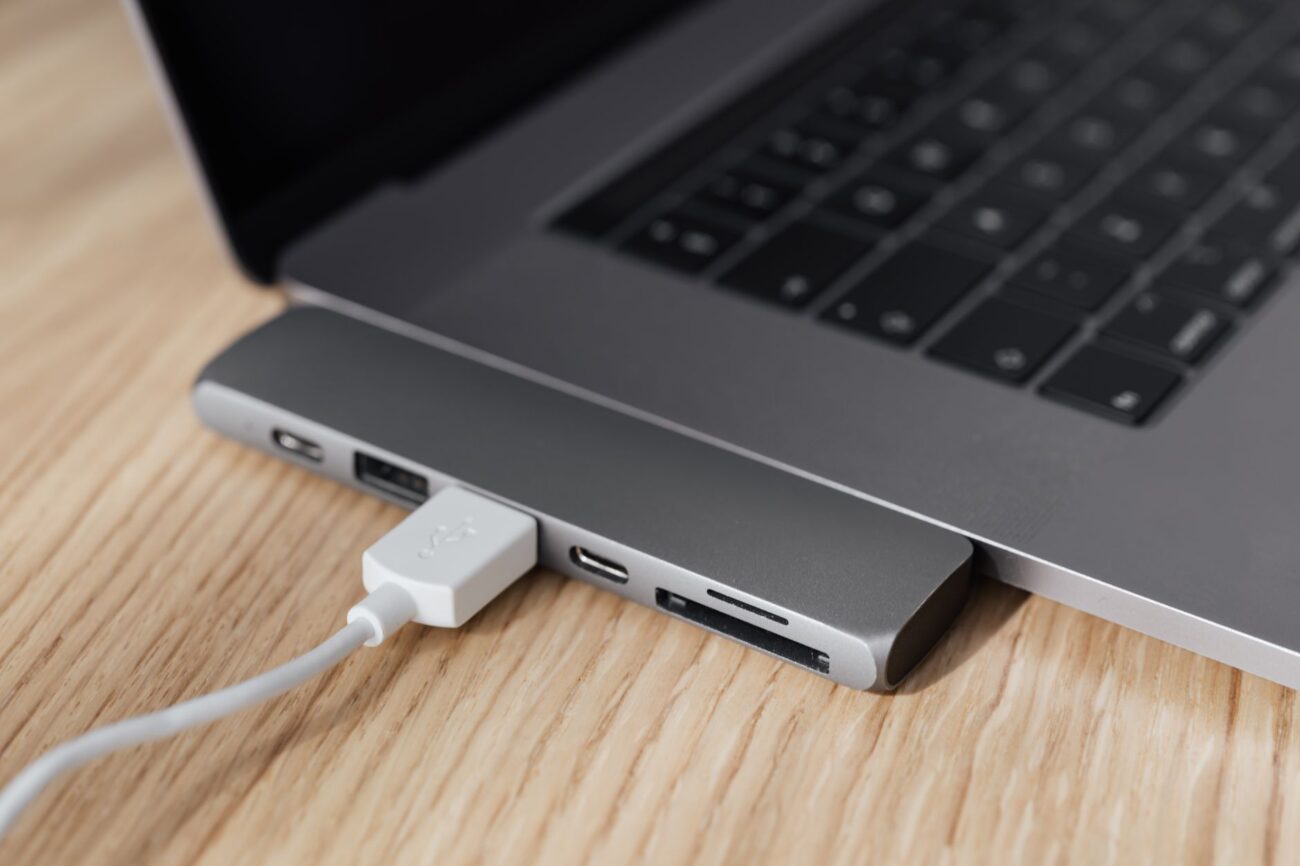
Designed with MacBook users in mind, the Satechi USB-C Multiport Adapter Pro is a sleek, aluminum hub that perfectly complements Apple’s aesthetic. It typically plugs directly into two USB-C ports on the side of a MacBook Pro/Air, offering a clean, integrated look. This hub often features HDMI 4K@60Hz, Gigabit Ethernet, USB-C PD (up to 100W), two USB-A 5Gbps ports, and SD/microSD card readers. Its premium build and seamless design make it a top choice for Apple enthusiasts who prioritize aesthetics and functionality.
Satechi USB-C Multiport Adapter Pro — check today’s price
3. CalDigit TS4 Thunderbolt 4 Dock
For power users and professionals who demand the absolute best in connectivity, the CalDigit TS4 Thunderbolt 4 Dock is an unparalleled choice. With an impressive 18 ports, including three Thunderbolt 4 (40Gbps) ports, three USB-C (10Gbps) ports, five USB-A (10Gbps) ports, DisplayPort 1.4, 2.5 Gigabit Ethernet, SD/microSD 4.0 readers, and an audio combo jack, it can drive up to dual 6K displays or a single 8K display. It also provides a hefty 98W Power Delivery to your laptop. While an investment, the TS4 offers incredible bandwidth, power, and versatility for the most demanding workflows.
CalDigit TS4 Thunderbolt 4 Dock — check today’s price
4. Plugable UD-ULTC4K USB-C Triple Display Docking Station
If multiple external displays are a priority, the Plugable UD-ULTC4K is an excellent solution. This docking station utilizes DisplayLink technology to support up to three external 4K displays simultaneously (via HDMI and DisplayPort), even if your laptop’s native USB-C port doesn’t support triple video output directly. It also provides 100W Power Delivery to your laptop, a Gigabit Ethernet port, four USB-A 5Gbps ports, and a USB-C 5Gbps data port. It’s a robust option for those creating extensive multi-monitor workstations.
Plugable UD-ULTC4K USB-C Triple Display Docking Station — check today’s price
5. HyperDrive PRO 8-in-2 USB-C Hub
Another excellent option specifically tailored for MacBook Pro and MacBook Air models, the HyperDrive PRO 8-in-2 offers a compact and integrated solution. Like the Satechi, it connects directly into two side-by-side USB-C/Thunderbolt ports, offering a clean, cable-free setup. It typically features 4K HDMI, Gigabit Ethernet, USB-C PD (up to 100W), two USB-A 5Gbps ports, and SD/microSD card readers. Its robust build and ability to blend seamlessly with your laptop make it a favorite for users seeking a minimalist yet powerful expansion.
HyperDrive PRO 8-in-2 USB-C Hub — check today’s price
| Product | Key Features | Power Delivery (PD) | Video Output | Best For |
|---|---|---|---|---|
| Anker 555 USB-C Hub (8-in-1) | HDMI, Ethernet, 2x USB-A, 1x USB-C Data, SD/MicroSD | 85W Passthrough | 1x 4K@60Hz HDMI | Everyday users, portability |
| Satechi USB-C Multiport Adapter Pro | HDMI, Ethernet, 2x USB-A, USB-C PD, SD/MicroSD | Up to 100W | 1x 4K@60Hz HDMI | MacBook users, aesthetics |
| CalDigit TS4 Thunderbolt 4 Dock | 18 Ports (TB4, USB-C, USB-A, DP, 2.5GbE, SD 4.0) | 98W to Host | Dual 6K@60Hz / Single 8K@60Hz | Power users, pro creatives |
| Plugable UD-ULTC4K Triple Display Dock | HDMI, DP, Ethernet, 4x USB-A, USB-C Data | 100W Passthrough | Triple 4K Displays | Multi-monitor setups |
| HyperDrive PRO 8-in-2 USB-C Hub | HDMI, Ethernet, 2x USB-A, USB-C PD, SD/MicroSD | Up to 100W | 1x 4K HDMI | MacBook users, integrated design |

Best value picks on AliExpress
For those looking for even more budget-friendly options or unique configurations, AliExpress offers a vast selection of USB-C hubs and docks. While quality can vary, careful research and checking seller reviews can yield some fantastic finds that provide excellent value for money. Many unbranded or lesser-known brands offer similar port selections to premium hubs at a fraction of the cost, making them ideal for users who prioritize functionality over brand recognition.
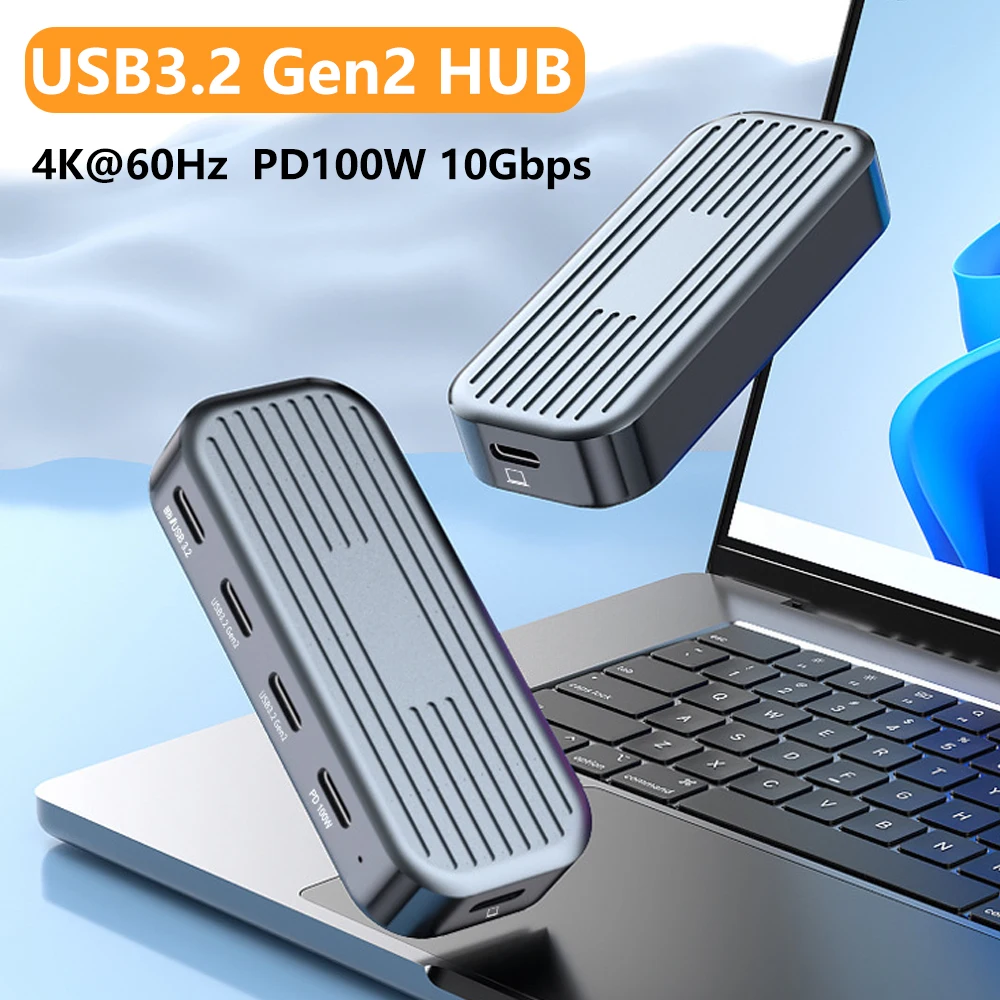
10Gbps USB C Hub with 4K@60Hz Video Output USB3.2 Gen2 Data Transfer PD100W for Laptops Ma
$41.32 on AliExpress
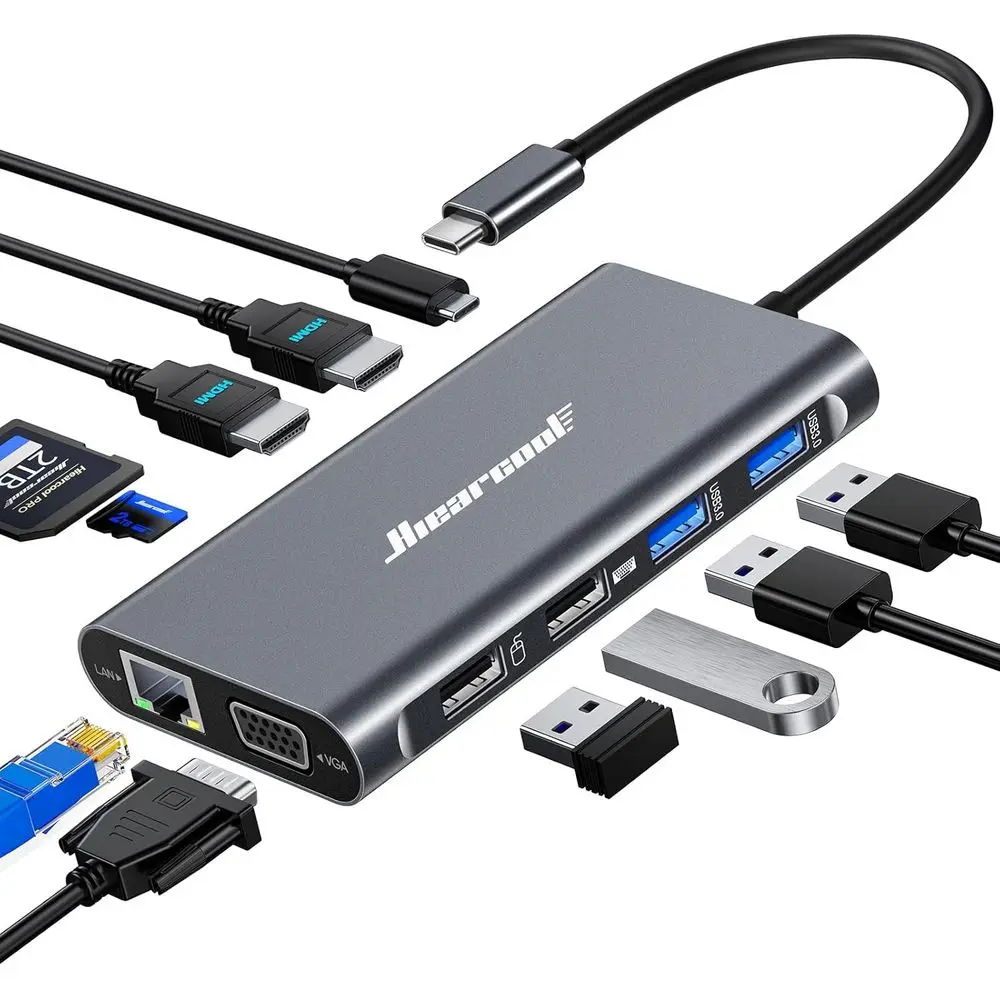
11-in-1 USB-C Multi-Display Dock: Triple Screen Support with 4K HDMI, 1080p VGA, Ethernet,
$87.47 $323.96 on AliExpress
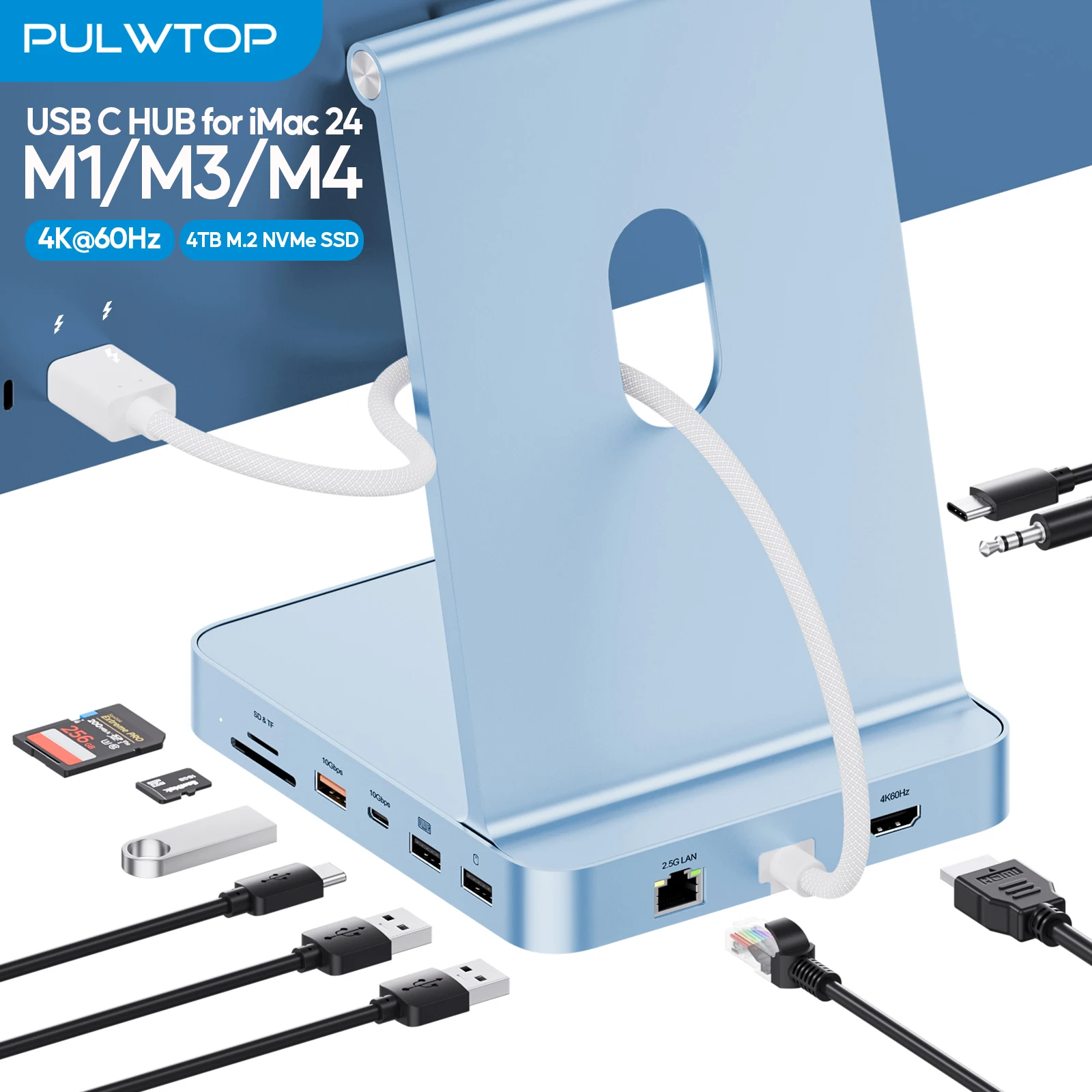
PULWTOP Upgraded 11 in 1 USB C Hub for iMac 24 inch USB Hub M1 M3 M4, Support M.2 SSD, 4K
$76.49 $162.75 on AliExpress

How to Choose the Best USB-C Hubs for Laptops
Selecting the perfect USB-C hub or docking station requires a careful assessment of your needs and your laptop’s capabilities. Here’s a detailed guide to help you make an informed decision:
- Identify Your Laptop’s Ports: Does your laptop have standard USB-C or Thunderbolt 3/4 ports? Thunderbolt ports offer higher bandwidth and more advanced features, allowing for more powerful docks. A Thunderbolt dock will work with a regular USB-C port, but at reduced functionality.
- Determine Your Connectivity Needs: List all the peripherals you regularly connect. Do you need HDMI for an external monitor? How many USB-A ports for a mouse, keyboard, or external drive? Do you require an Ethernet port for a stable internet connection or an SD card reader for photography?
- Consider Power Delivery (PD): If you want to charge your laptop through the hub, ensure the hub supports Power Delivery and provides enough wattage (e.g., 60W, 85W, 100W) to power your laptop effectively. Check your laptop’s charger for its wattage requirements.
- Video Output Requirements: How many monitors do you want to connect, and at what resolution and refresh rate? Some hubs support a single 4K@30Hz display, while advanced docks can drive dual 4K@60Hz or even triple displays. Pay attention to whether the hub supports MST (Multi-Stream Transport) for multiple monitors if your laptop and GPU support it.
- Portability vs. Desktop Setup: If you travel frequently, a compact, lightweight hub is essential. For a permanent desk setup, a larger, more feature-rich docking station with more ports and robust power delivery might be more suitable.
- Data Transfer Speeds: For transferring large files, look for USB-A and USB-C ports that support USB 3.2 Gen 2 (10Gbps) or, for ultimate speed, a Thunderbolt 4 dock (40Gbps).
- Brand Reputation and Reviews: Stick to reputable brands like Anker, Satechi, CalDigit, Plugable, Belkin, or Kensington where possible. Always read user reviews to gauge real-world performance and reliability.
- Future-Proofing: While you don’t need to overspend, consider if your needs might evolve. Investing in a slightly more capable hub than you currently need can save you from having to upgrade again soon. A Thunderbolt 4 dock, for instance, offers excellent future-proofing.
FAQ: Your USB-C Hub Questions Answered
Q: What’s the difference between a USB-C hub and a docking station?
While often used interchangeably, a USB-C hub is typically a smaller, more portable device offering basic port expansion and sometimes Power Delivery. A docking station is generally larger, more feature-rich, often requires external power, and provides more advanced connectivity options like multiple display outputs, higher power delivery, and more robust data transfer speeds, often utilizing Thunderbolt technology for maximum performance.
Q: Do I need a Thunderbolt dock or a regular USB-C hub?
This depends on your laptop and needs. If your laptop has Thunderbolt 3 or 4 ports and you require maximum bandwidth (e.g., for dual 4K monitors, external GPUs, or high-speed storage), a Thunderbolt dock is superior. If your laptop only has standard USB-C ports, or your needs are simpler (e.g., one external display, a few USB devices), a regular USB-C hub is sufficient and more cost-effective. A Thunderbolt dock will work with a USB-C port, but at reduced speeds and features.
Q: Can a USB-C hub charge my laptop?
Yes, many USB-C hubs and most docking stations offer Power Delivery (PD) passthrough. This means you can plug your laptop’s power adapter into the hub, and the hub will charge your laptop while also providing connectivity for your other devices. Always check the hub’s specified PD wattage to ensure it’s sufficient for your laptop’s charging requirements.
Q: Will a USB-C hub work with any laptop?
A USB-C hub will work with any laptop that has a functional USB-C port that supports data transfer and, ideally, DisplayPort Alternate Mode (Alt Mode) for video output and Power Delivery for charging. However, compatibility can vary, especially with older laptops or specific operating systems. Always check the hub’s specifications and your laptop’s capabilities to ensure full functionality.
Conclusion
Choosing the best usb-c hubs for laptops in 2026 is a crucial step toward unlocking your device’s full potential. Whether you’re aiming for a minimalist travel setup or a powerful multi-monitor workstation, the right hub or dock can provide the essential connectivity modern laptops often lack. From the portable versatility of the Anker 555 to the professional-grade power of the CalDigit TS4, there’s a solution for every user and every budget. By carefully considering your specific needs for ports, power, and performance, you can select a hub that not only streamlines your workflow but also future-proofs your setup for years to come. For more insights into optimizing your tech setup, explore our other articles on Conferencing with Logitech Group and webex service. You can also learn more about the technical specifications of USB-C and Thunderbolt technology on Wikipedia.