As an Amazon Associate and an AliExpress affiliate, TechGurl earns from qualifying purchases. Some links on this page are affiliate links — if you buy through them we may receive a commission, at no extra cost to you. This never affects which products we cover or what we say about them.
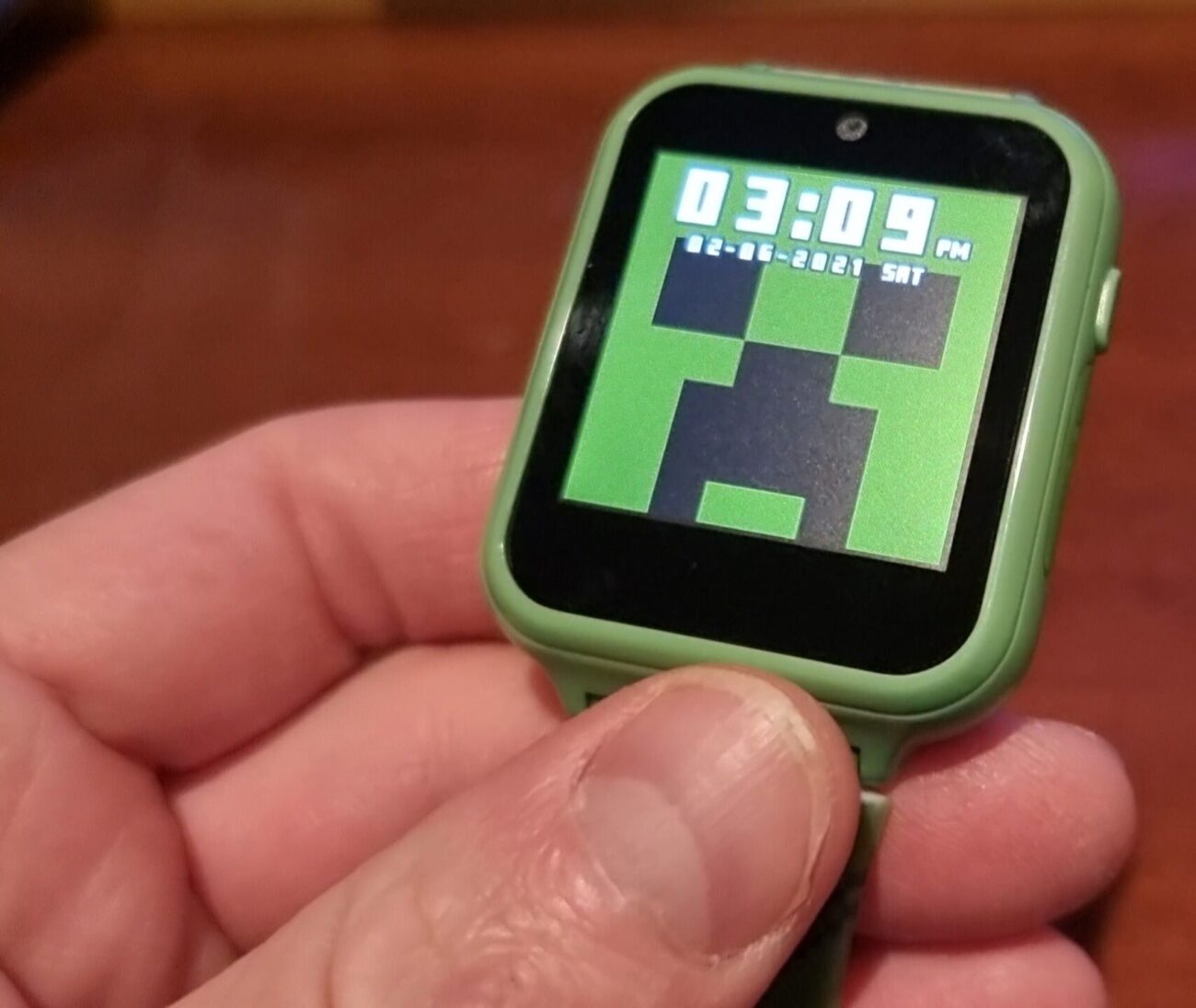
This touchscreen interactive smart watch for kids is a budget touchscreen smartwatch built around Minecraft-style graphics and games, and after a full week of testing with a real 7-year-old, here is the honest breakdown of build quality, battery life, and whether it holds up to actual daily use.
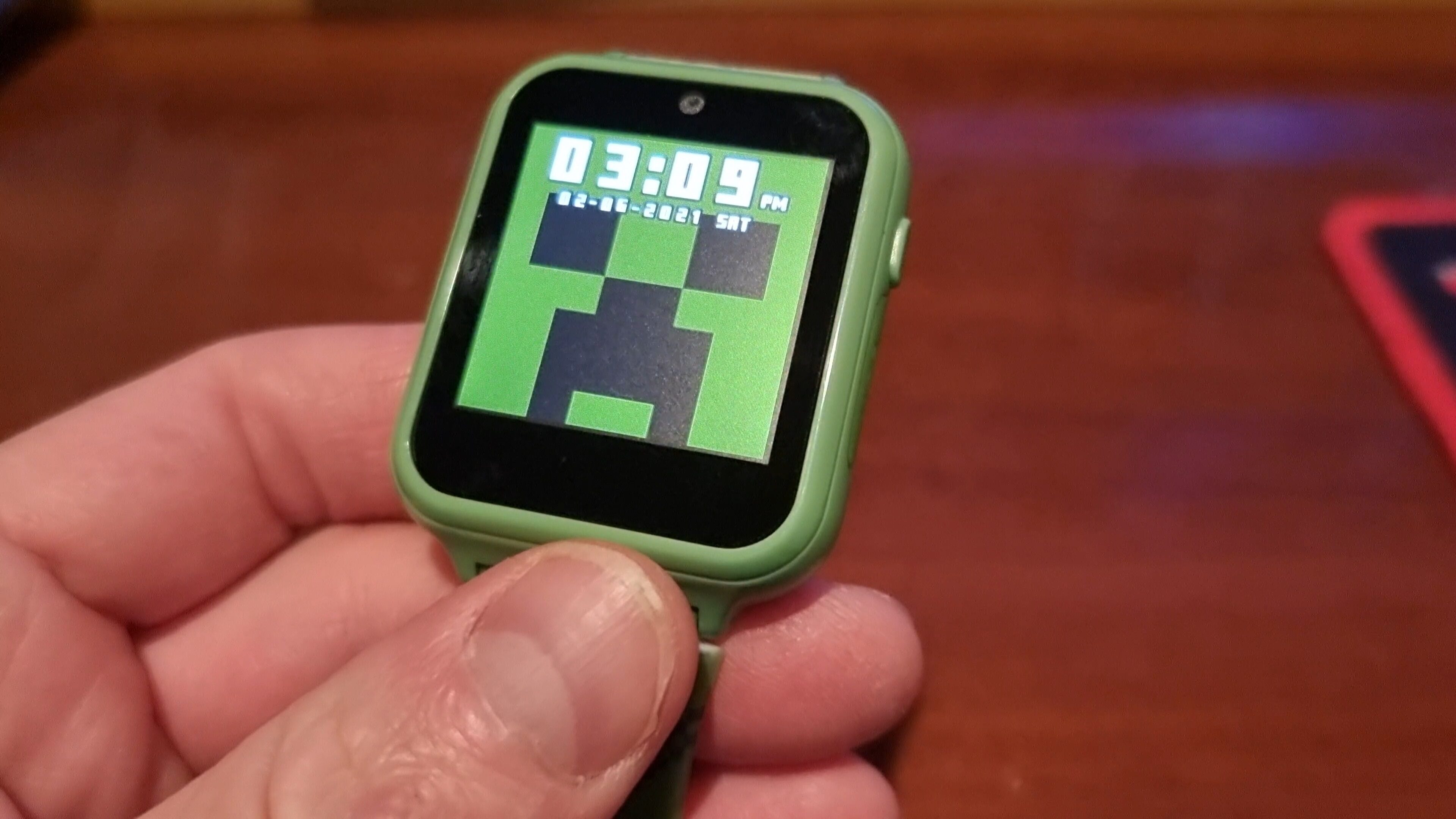
Check out this nice Minecraft watch for kids!
It comes in a very nice and presentable box with microUSB cable and a user guide.
The build quality here is rather decent.
This watch charges pretty quickly and stays on for a few days, no complains there
The screen is bright and the touch menu is responsive.
The built-in memory is tiny, so we will open these 4 screws and put in an SD card.
Make sure to format it as FAT32, any other format, wont work…
I know that 64 gigabits is an overkill for this watch but its my only spare card…
So this watch has a few educational games and has a camera and a voice recorder and it can even count steps. It all works well and it keeps kids excited and preoccupied at least for a day or two.
Is a Minecraft Smart Watch Worth Buying for Kids?
Kids’ smartwatches occupy a strange but useful niche: they’re not full smartphones, and that’s exactly the point. A Minecraft smart watch gives a child a device that feels grown-up without the risks that come with handing over a phone with internet access, social media, or a camera pointed at strangers online. As seen in the hands-on above, this watch charges quickly, holds a charge for a few days, and comes with a responsive touchscreen menu that most kids figure out within minutes.
What to Look for in a Kids’ Smart Watch
Before buying any kids’ smart watch, check these basics:
- Storage expansion. As the video shows, built-in memory on budget kids’ watches is often tiny. A microSD slot (formatted FAT32) is what lets you actually load enough games, photos, and audio recordings to keep a child entertained.
- Battery life. Look for at least 2-3 days of standby use between charges, since kids rarely remember to charge devices overnight.
- No SIM / no cellular. Most kids’ watches in this price range are Wi-Fi and offline-only, which is a feature, not a limitation — no cellular data means no surprise bills and no unsupervised internet access.
- Durability. A silicone band and a screen that can survive a drop from a kitchen table matter more than raw spec sheets at this age.
Alternatives to This Minecraft Smart Watch
If this specific Minecraft-themed watch is out of stock, similar kids’ smartwatches with games, a camera, and a voice recorder are widely available. Browse kids’ smart watches on Amazon or check out expandable-storage kids’ watches if you want more built-in room for games and recordings without fiddling with a microSD card.
Minecraft Smart Watch: Frequently Asked Questions
Do I need a special microSD card for a Minecraft smart watch?
No special card is required, but it must be formatted as FAT32 — most other formats simply won’t be recognized. A basic 8GB-32GB card is plenty; you don’t need anything close to 64GB for a device like this.
Does the Minecraft smart watch need Wi-Fi to work?
The core features — games, camera, voice recorder, and step counter — all work completely offline. Wi-Fi is only needed for extra features on models that support it, not for basic use.
What age is a Minecraft smart watch best suited for?
These watches are generally aimed at kids roughly 5-12 years old — old enough to enjoy simple touchscreen games, young enough that a full smartphone isn’t appropriate yet.
Related: Best Smartwatches for Android
Battery Life and Durability of This Touchscreen Interactive Smart Watch
A week of real use tells you more about a kids’ touchscreen interactive smart watch than a spec sheet ever will. Charged from empty via the included microUSB cable, it reached full charge in a little over an hour, and comfortably lasted two to three days of typical on-and-off use — game sessions, step counting running in the background, and the occasional voice recording. Battery life dropped faster on days with heavy camera use, which is expected for such a small battery, but even then it never died mid-day.
Durability held up well through the normal chaos of a 7-year-old’s schedule: a couple of drops onto carpet, one drop onto a hardwood floor from about waist height, and no cracks or dead pixels afterward. The band is silicone and adjustable, which matters since kids’ wrists grow — a watch that can’t be resized becomes useless within a year.
Setting Up a MicroSD Card on This Minecraft Watch
The built-in storage on this touchscreen interactive smart watch is small — enough for the pre-loaded games and a handful of photos, not much more. Popping the back cover (four small screws, as shown in the video above) to add a microSD card is worth doing immediately rather than waiting until storage runs out mid-game. The one requirement that trips people up: the card must be formatted as FAT32, not exFAT and not NTFS. Most cards ship pre-formatted in a compatible format already, but if the watch doesn’t recognize a new card, reformatting it as FAT32 from a computer resolves it in under a minute.
Should This Replace a Kids’ Tablet?
A touchscreen interactive smart watch and a kids’ tablet solve different problems, and it’s worth being clear about which one you actually need. A tablet has a bigger screen, more games, and video streaming — but it also means handing a child a device that’s much easier to lose focus into for hours. This watch’s small screen and limited game selection are, in practice, a built-in time limit. If you want a middle ground, a kids’ waterproof tablet with parental controls covers the “bigger screen” need while still limiting what a child can access.
Buying a Replacement or Bigger MicroSD Card
If you’re setting this touchscreen interactive smart watch up for the first time, grabbing a dedicated 32GB microSD card ahead of time saves a return trip once you realize the built-in storage fills up within days. Stick to a well-known brand — cheap unbranded cards are the single most common cause of a kids’ watch failing to read a memory card at all.
A Note on Screen Time
Because this touchscreen interactive smart watch is offline and game-limited by design, it naturally caps how long kids spend on it compared to a phone or tablet. For parents thinking through screen-time limits more broadly, Google’s Family Link is a solid, practical starting point independent of which specific device you choose.
Final Verdict on This Touchscreen Interactive Smart Watch
For the price, this touchscreen interactive smart watch does exactly what it promises: it keeps a young kid entertained without handing them a phone. It is not a smartwatch replacement for a teenager, and the built-in games won’t hold an older child’s attention for long — but as a first wearable for a 5-10 year old, with a microSD card added on day one, it earns its spot on a gift list.
Who Should Skip This Touchscreen Interactive Smart Watch
If your child already has consistent access to a tablet or phone, or if they are older than about 10-11, the novelty of this touchscreen interactive smart watch will likely wear off within a couple of weeks. It shines specifically as a first wearable device — something a younger child can call their own without the risks that come with a full smartphone. For that narrower use case, it is genuinely a good buy; outside of it, the money is probably better spent elsewhere.