Disclosure: This article contains affiliate links. If you buy through them we may earn a small commission at no extra cost to you.
As we approach 2026, the demand for faster, more reliable, and more secure home networks continues to soar. With an ever-growing array of smart devices, high-bandwidth streaming, and demanding online gaming, having one of the best Wi-Fi routers isn’t just a luxury – it’s a necessity. This comprehensive guide will help you navigate the latest technologies, from Wi-Fi 6E to the nascent Wi-Fi 7, and identify the top performers that will future-proof your digital life.

Our Top Picks: The Best Wi-Fi Routers for 2026
1. TP-Link Archer BE800 BE19000 Tri-Band Wi-Fi 7 Router
Leading the charge into the next generation of wireless connectivity, the TP-Link Archer BE800 is a powerhouse Wi-Fi 7 router designed for the most demanding users. With support for the new 6 GHz band, it offers incredible speeds and ultra-low latency, making it perfect for 8K streaming, VR/AR applications, and competitive online gaming. Its sleek, futuristic design houses formidable hardware, including a quad-core CPU and multiple high-gain antennas, ensuring expansive coverage and robust performance across your entire home. If you’re ready to embrace the future of Wi-Fi, the BE800 is an unparalleled choice.
TP-Link Archer BE800 BE19000 Tri-Band Wi-Fi 7 Router — check today’s price
2. NETGEAR Nighthawk RAXE500 Tri-Band Wi-Fi 6E Router
For those seeking top-tier Wi-Fi 6E performance, the NETGEAR Nighthawk RAXE500 remains a formidable contender. This router leverages the new 6 GHz band to deliver congestion-free, multi-gigabit speeds to compatible devices, while its dual 2.4 GHz and 5 GHz bands handle older devices with ease. With 12 Wi-Fi streams and a powerful processor, the RAXE500 excels in handling numerous devices simultaneously, providing a smooth and stable connection for everyone. Its advanced features, including robust security and comprehensive parental controls, make it ideal for large, busy households.
NETGEAR Nighthawk RAXE500 Tri-Band Wi-Fi 6E Router — check today’s price
3. ASUS ROG Rapture GT-AXE16000 Quad-Band Wi-Fi 6E Gaming Router
Gamers, rejoice! The ASUS ROG Rapture GT-AXE16000 is engineered from the ground up to deliver an uncompromising gaming experience. This beast of a router offers quad-band Wi-Fi 6E, meaning it has two 5 GHz bands in addition to the 2.4 GHz and 6 GHz bands, allowing you to dedicate an entire band to your gaming devices. Its powerful hardware, including a 2.0 GHz quad-core CPU, ensures minimal latency and maximum throughput. With features like Game Boost, VPN Fusion, and extensive port options (including dual 10 Gbps ports), the GT-AXE16000 is the ultimate weapon for competitive gamers and streaming enthusiasts.
ASUS ROG Rapture GT-AXE16000 Quad-Band Wi-Fi 6E Gaming Router — check today’s price
4. Google Nest Wi-Fi Pro (Wi-Fi 6E Mesh System)
For seamless whole-home coverage and an incredibly simple setup, the Google Nest Wi-Fi Pro is an excellent choice. This mesh system brings Wi-Fi 6E to every corner of your home, eliminating dead zones and delivering fast, consistent speeds. Its intelligent software optimizes your network for performance and reliability, while integrated Google Assistant functionality adds smart home convenience. Perfect for larger homes or those with tricky layouts, the Nest Wi-Fi Pro combines elegant design with powerful, user-friendly performance, making it one of the best Wi-Fi routers for modern smart homes.
Google Nest Wi-Fi Pro (Wi-Fi 6E Mesh System) — check today’s price
5. Amazon Eero 6+ Mesh Wi-Fi System
The Amazon Eero 6+ offers a fantastic balance of performance, simplicity, and value for a mesh Wi-Fi 6 system. While not Wi-Fi 6E or 7, it provides robust and reliable whole-home coverage with speeds up to a gigabit, making it more than sufficient for most households. Its TrueMesh technology intelligently routes traffic to avoid congestion, and the setup process is incredibly straightforward via the Eero app. With built-in Zigbee smart home hub functionality and optional Eero Secure features, the Eero 6+ is a smart, affordable way to get excellent coverage and performance.
Amazon Eero 6+ Mesh Wi-Fi System — check today’s price
Comparison Table: Best Wi-Fi Routers for 2026
| Feature | TP-Link Archer BE800 | NETGEAR Nighthawk RAXE500 | ASUS ROG Rapture GT-AXE16000 | Google Nest Wi-Fi Pro | Amazon Eero 6+ |
|---|---|---|---|---|---|
| Wi-Fi Standard | Wi-Fi 7 (802.11be) | Wi-Fi 6E (802.11ax) | Wi-Fi 6E (802.11ax) | Wi-Fi 6E (802.11ax) | Wi-Fi 6 (802.11ax) |
| Bands | Tri-Band (2.4, 5, 6 GHz) | Tri-Band (2.4, 5, 6 GHz) | Quad-Band (2.4, 5, 5, 6 GHz) | Tri-Band (2.4, 5, 6 GHz) | Dual-Band (2.4, 5 GHz) |
| Max Theoretical Speed | 19 Gbps | 10.8 Gbps | 16 Gbps | 5.4 Gbps (per node) | Up to 1 Gbps (per node) |
| Ports | 2x 10 Gbps, 4x 2.5 Gbps | 1x 2.5 Gbps, 4x 1 Gbps | 2x 10 Gbps, 4x 2.5 Gbps | 2x 1 Gbps (per node) | 2x 1 Gbps (per node) |
| Key Feature | Cutting-edge Wi-Fi 7 | High-performance Wi-Fi 6E | Ultimate Gaming Features | Simple Mesh Wi-Fi 6E | Affordable Mesh Wi-Fi 6 |

Best value picks on AliExpress
For those looking for more budget-friendly options or unique imports, AliExpress offers a wide array of routers, often featuring competitive specs. Be sure to check seller reviews and product descriptions carefully!
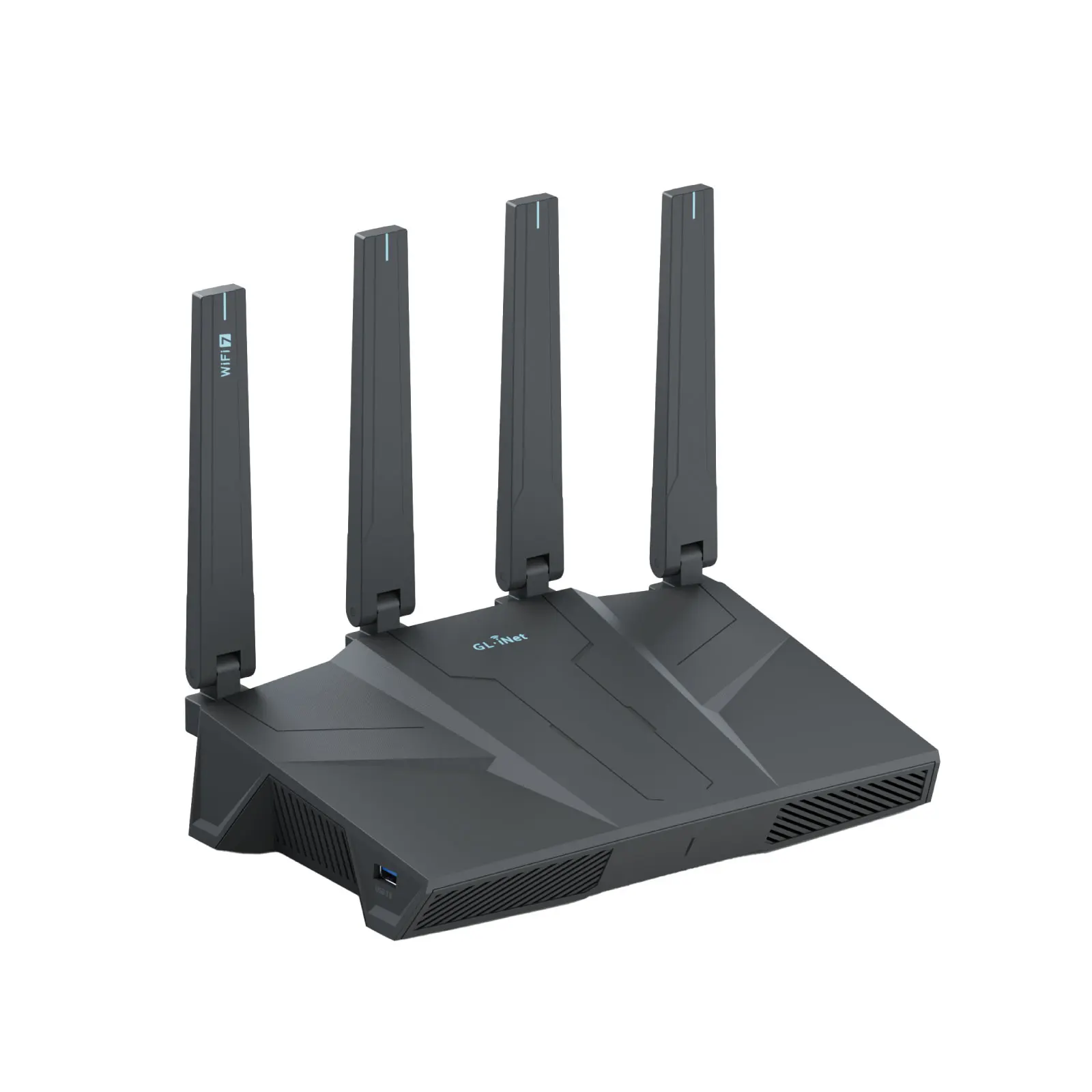
GL.iNet GL-BE6500 (Flint 3e) Dual-band Wi-Fi 7 Home Router 5× 2.5G Ports Robust VPN Capabi
$176.47 $352.94 on AliExpress
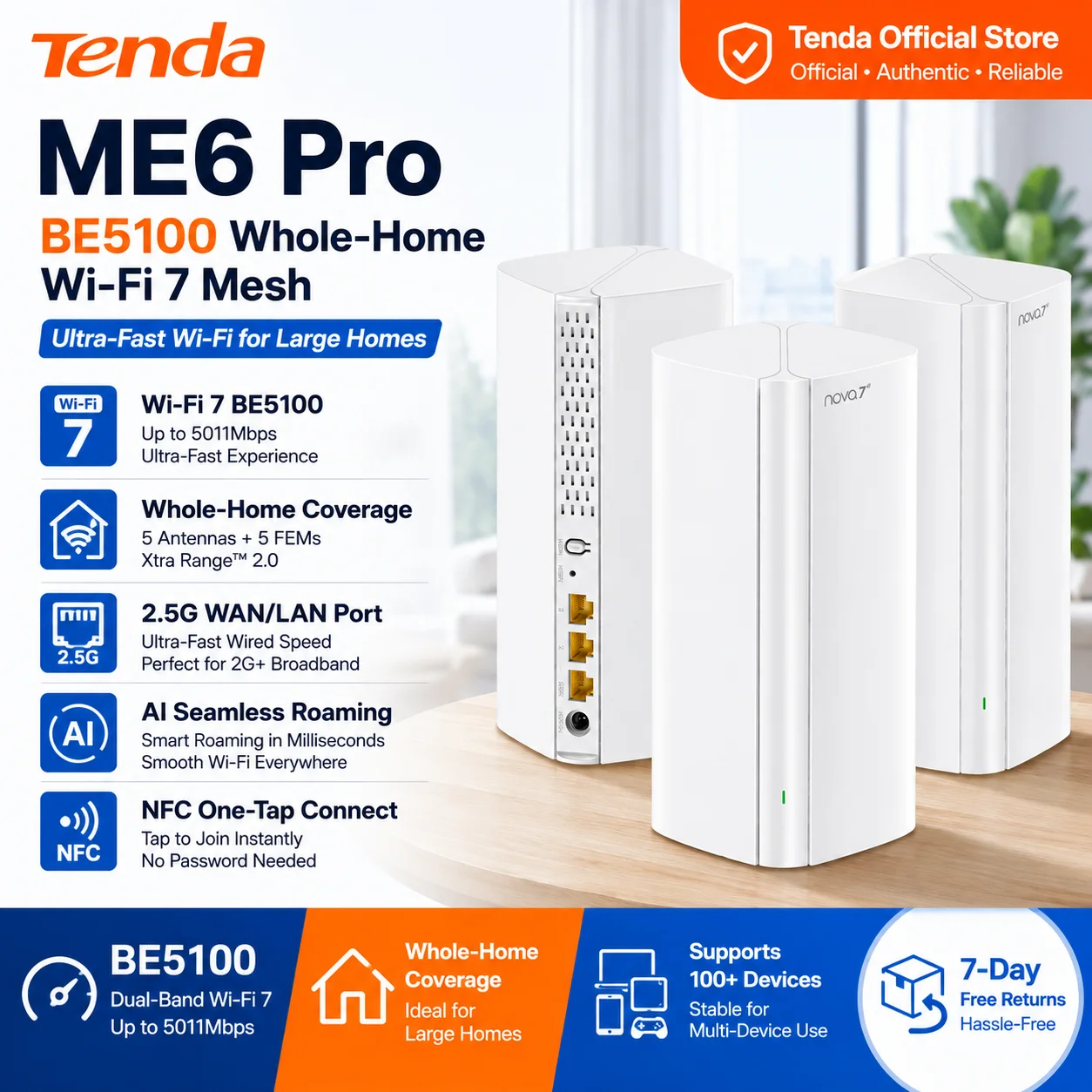
Tenda Router BE5100 Wi-Fi 7 2.4/5GHz Mesh System 2.5G Network Port Dual-Band WAN LAN Wi-Fi
$266.63 $544.15 on AliExpress

New ZTE U60 Pro MU5250 5G Pocket WiFi Router 5G-A Qualcomm SDX75 WiFi 7 BE3600 Mobiel Hots
$399.20 $499.00 on AliExpress
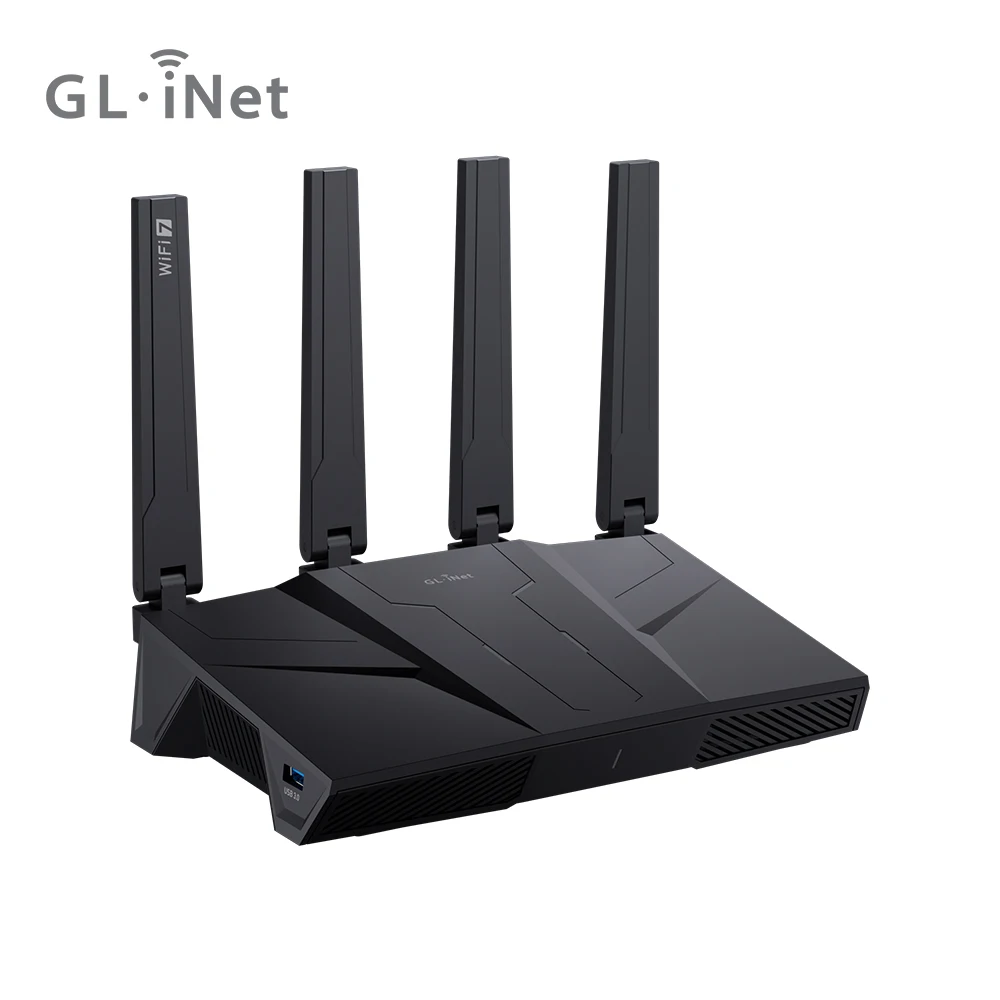
GL.iNet GL-BE9300 Flint 3 Tri-Band WiFi 7 Router High Speed Gaming Long Range 5x 2.5G VPN
$205.33 $410.66 on AliExpress

How to Choose the Best Wi-Fi Routers for Your Home
Selecting the right router can be daunting with the myriad of options available. Here’s what to consider to ensure you pick one of the best Wi-Fi routers for your specific needs:
-
Wi-Fi Standard (Wi-Fi 6, 6E, or 7)
- Wi-Fi 6 (802.11ax): The current mainstream standard, offering significant improvements over Wi-Fi 5 in speed, efficiency, and handling multiple devices. Great for most homes.
- Wi-Fi 6E (802.11axe): Extends Wi-Fi 6 to include the 6 GHz band. This band is less congested, offering faster speeds and lower latency for compatible devices. Ideal for future-proofing.
- Wi-Fi 7 (802.11be, ‘Extremely High Throughput’): The newest standard, still emerging in 2026. It promises even higher speeds, lower latency, and better efficiency through technologies like Multi-Link Operation (MLO) and 320 MHz channels. If you want the absolute cutting edge and have compatible devices, this is it.
-
Speed and Throughput
Look at the aggregate speed rating (e.g., AX5400, BE19000). While these are theoretical maximums, higher numbers generally indicate better performance. Consider your internet service provider’s (ISP) speed plan; a router can only be as fast as your incoming internet connection.
-
Coverage and Range (Mesh vs. Single Router)
- Single Router: Best for smaller homes or apartments. Ensure it has strong antennas and beamforming technology to direct signals.
- Mesh Wi-Fi System: Ideal for larger homes (2,000+ sq ft), multi-story houses, or homes with dead zones. Mesh systems use multiple nodes to create a seamless, unified network.
-
Processor and RAM
A powerful multi-core processor and ample RAM help the router handle data traffic, manage numerous connected devices, and run advanced features smoothly without bogging down.
-
Ports and Connectivity
Check for the number and type of Ethernet ports. If you have devices like gaming consoles, PCs, or NAS drives that benefit from wired connections, look for 1 Gbps, 2.5 Gbps, or even 10 Gbps ports. USB ports are useful for connecting external storage or printers to your network.
-
Security Features
Prioritize routers with WPA3 encryption, automatic firmware updates, and robust firewall protection. Features like guest networks and parental controls are also valuable for managing access and ensuring safety. For more in-depth knowledge on router security, consider reading this Wikipedia article on wireless routers.
-
Ease of Use and Setup
Most modern routers come with intuitive mobile apps for easy setup and management. Consider if you prefer a simple plug-and-play experience or desire more advanced configuration options.
-
Budget
Routers range widely in price. Determine your budget, but remember that investing in a good router now can save you headaches and upgrades later, especially if you opt for one of the best Wi-Fi routers with Wi-Fi 6E or Wi-Fi 7.
Frequently Asked Questions About Wi-Fi Routers
What’s the difference between Wi-Fi 6, 6E, and 7?
Wi-Fi 6 (802.11ax) is the current standard, offering improved speed and efficiency over Wi-Fi 5. Wi-Fi 6E extends Wi-Fi 6 by adding a new, uncongested 6 GHz frequency band for even faster speeds and lower latency with compatible devices. Wi-Fi 7 (802.11be) is the latest and greatest, introducing advanced features like Multi-Link Operation (MLO) and wider 320 MHz channels to deliver unprecedented speeds and efficiency, making it the most future-proof option.
Do I really need a Wi-Fi 7 router in 2026?
While Wi-Fi 7 offers cutting-edge performance, whether you ‘need’ it depends on your devices and internet plan. If you have a gigabit or multi-gigabit internet connection, many Wi-Fi 7 compatible devices (like new laptops, smartphones, or VR headsets), and demand the lowest latency for gaming or AR/VR, then a Wi-Fi 7 router is a worthwhile investment. For most average users with Wi-Fi 6/6E devices and standard gigabit internet, a high-quality Wi-Fi 6E router will still provide excellent performance.
How much coverage do I need for my home?
The coverage you need depends on your home’s size and layout. For small apartments (under 1,500 sq ft), a single high-performance router is usually sufficient. For medium homes (1,500-3,000 sq ft) or homes with multiple floors, a single powerful router might work, but a 2-pack mesh Wi-Fi system is often better. For large homes (over 3,000 sq ft) or those with many walls and interference, a 3-pack or more mesh system is highly recommended to eliminate dead zones and ensure consistent speeds.
What security features should I look for?
Essential security features include WPA3 encryption (the latest standard), a robust firewall, and automatic firmware updates to protect against vulnerabilities. Features like guest networks (to isolate visitors’ devices) and parental controls (to manage internet access for children) are also highly valuable. Some routers offer advanced threat detection and VPN capabilities for enhanced privacy and protection.
Conclusion
The world of Wi-Fi is constantly evolving, and 2026 promises even more advanced options for staying connected. Whether you’re a hardcore gamer, a smart home enthusiast, or simply looking for a reliable network for your family, there’s a router out there to meet your needs. By considering your budget, home size, and the types of devices you use, you can confidently choose from the best Wi-Fi routers on the market. Don’t let slow internet hold you back – upgrade your network today and experience the full potential of your digital life. For more tips on optimizing your home network, check out our Elevate Your Workspace: Best Standing Desk Converters for 2026 home networking guides.