As an Amazon Associate and an AliExpress affiliate, TechGurl earns from qualifying purchases. Some links on this page are affiliate links — if you buy through them we may receive a commission, at no extra cost to you. This never affects which products we cover or what we say about them.
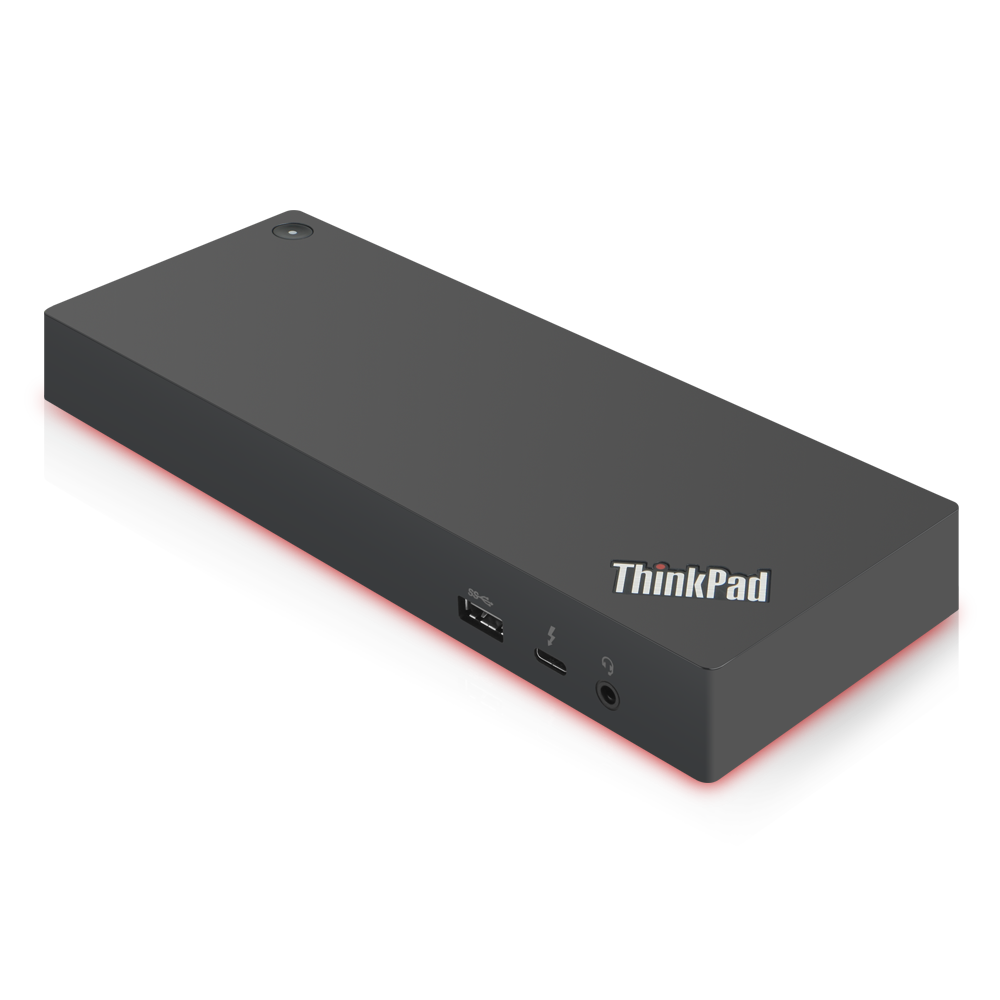
The ThinkPad Thunderbolt 3 Dock Gen 2 is Lenovo’s business docking station for Thunderbolt 3-equipped ThinkPads, built around a single-cable connection.
Thunderbolt 3 offers up to 40 Gbps full duplex, which gives a lot more options for IO than ever before. It can natively support two DisplayPort 1.2 streams, for up to two UHD displays at 60 Hz each, and because it’s done over USB-C, it can leverage the 100 Watts of power delivery from that port.
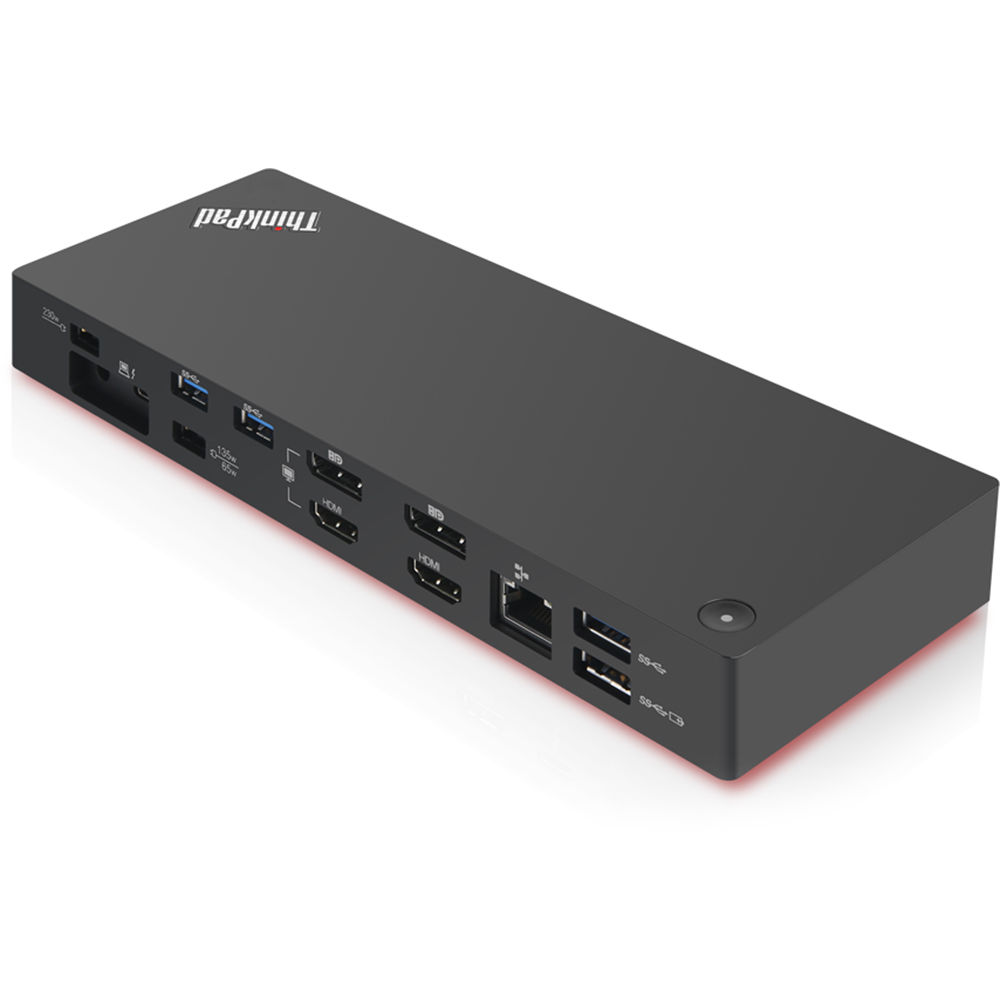
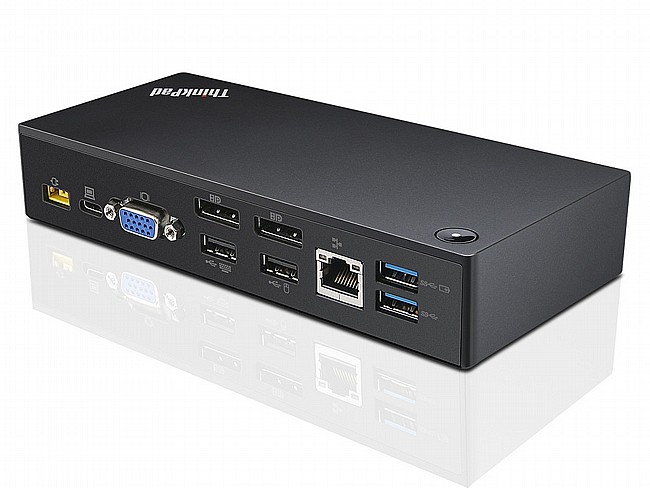
Since the ThinkPad Thunderbolt 3 dock is meant for business uers, some of the port selections may seem odd, but are still required by many organizations. The Thunderbolt 3 dock offers two DisplayPort ports, HDMI, VGA, five USB 3.0 ports with one of these always powered, Gigabit Ethernet, headset jack, and a Thunderbolt 3 port over USB-C, meaning you won’t lose your USB-C port when docking with this.

The dock ships with a 135-Watt AC Adapter, which provides up to 65W of power to the laptop, and the remainder for powering the accessories. There is also a power button on the dock to control the ThinkPad power state when docked, which is nice since the laptop could easily be closed when docked.
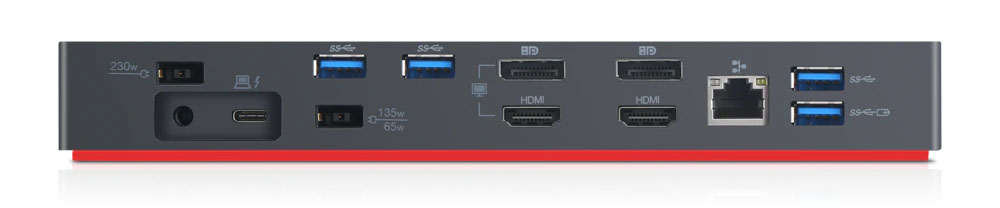
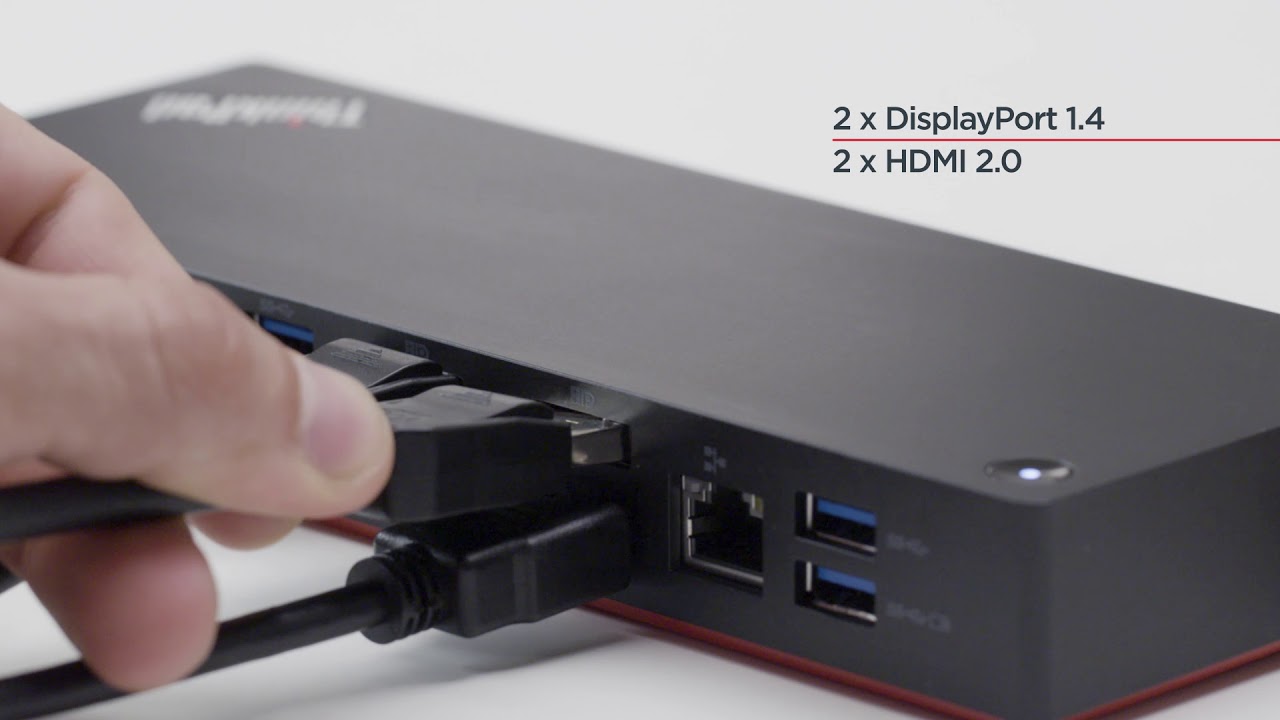
As far as display outputs, this dock will drive up to three UHD displays, but in that scenario only one will be at 60 Hz, since both of the DisplayPort outputs are from a single DP 1.2 stream. The third display would be driven off the Thunderbolt 3 output. It can drive two UHD displays at 60 Hz though, which is a much more likely scenario anyway.
More on the Thunderbolt 3 standard
techgurl
ThinkPad Thunderbolt 3 Dock Gen 2 Specs
- Connection: Single Thunderbolt 3 (USB-C) cable to the host laptop
- Video outputs: 2× DisplayPort 1.2, 1× HDMI, 1× VGA (legacy support for older monitors)
- USB: 5× USB 3.0 Type-A (one always-on for charging), plus the Thunderbolt 3 pass-through port
- Networking: Gigabit Ethernet with PXE boot and Wake-on-LAN support on compatible ThinkPad models
- Power: 135W AC adapter, delivering up to 65W to the laptop with the remainder for accessories
- Audio: Combo headset jack
The ThinkPad Thunderbolt 3 Dock Gen 2 is the second-generation revision of Lenovo’s flagship business dock, and the improvements over the original Gen 1 dock are mostly about output flexibility and power delivery headroom. If you’re deciding between the two generations on the used market, the 135W adapter here (versus 90W on some Gen 1 units) is the detail that matters most for anyone running a higher-wattage ThinkPad, since an underpowered dock will throttle charging or fail to keep up under sustained heavy load.
Setting Up Multiple Monitors
As we noted above, the practical display math on this dock is a little more nuanced than “three ports means three monitors.” Both DisplayPort outputs share a single DP 1.2 stream via MST (Multi-Stream Transport), so while you can technically drive three displays at once, only two can run at a full 60Hz simultaneously — the third, routed through the Thunderbolt 3 port itself, will typically be capped lower depending on your laptop’s GPU output limits. For most home and small-office setups, running two external USB-C to DisplayPort cable 4K 60Hz monitors off the two DisplayPort outputs is the sweet spot — you get full 4K60 on both without touching the MST bandwidth ceiling.
Thunderbolt 3 itself, standardized well before USB4 absorbed most of its feature set, is what makes the single-cable convenience possible in the first place — carrying data, video, and power delivery over one USB-C connector at up to 40Gbps. You can read more about how the standard evolved on Wikipedia’s Thunderbolt interface page.
Buying Tips for the ThinkPad Thunderbolt 3 Dock Gen 2
If you’re shopping used, always confirm the seller is including the original 135W adapter — a ThinkPad Thunderbolt 3 dock 135W adapter sold separately isn’t cheap, and a bare dock without its matched power brick is a common (and avoidable) headache. It’s also worth having a spare Thunderbolt 3 cable 40Gbps on hand if you travel between a docked desk and a second location, since the captive cable on some units can wear out faster than the dock itself with daily plug/unplug cycles.
Overall, the Lenovo ThinkPad Thunderbolt 3 Dock Gen 2 remains one of the most reliable single-cable docking solutions for business ThinkPads, particularly if PXE boot and Wake-on-LAN matter for your IT deployment. If you’re looking at a different single-cable setup for a desktop instead of a laptop, our Dell OptiPlex 7070 Ultra review covers Dell’s take on the same idea.
ThinkPad Thunderbolt 3 Dock Gen 2 Compatibility
Compatibility is the single most common question we get about this dock, and the short answer is: any ThinkPad with a Thunderbolt 3 port and a supported chipset will work, but “supported” is the key word. Lenovo maintains an official compatibility matrix because not every Thunderbolt 3-equipped ThinkPad ships with the exact same controller firmware, and a handful of older models needed a BIOS or Thunderbolt firmware update before the dock would reliably wake from sleep or drive all three displays correctly. If you’re buying a dock secondhand to pair with an older ThinkPad, it’s worth a quick search for your exact model number plus “Thunderbolt dock compatibility” before assuming plug-and-play behavior, especially if you’re relying on Wake-on-LAN for remote IT management.
Non-ThinkPad Windows laptops with a genuine Thunderbolt 3 port will generally work too, since the dock follows the open Thunderbolt 3 spec rather than anything ThinkPad-proprietary, but you lose the ThinkPad-specific extras like the dock’s dedicated power button controlling the laptop’s sleep/wake state. MacBooks with Thunderbolt 3 (USB-C) ports can also use the dock for basic USB, Ethernet, and single/dual external display duty, though Lenovo doesn’t officially test or support macOS, so treat that combination as “works in practice for most people” rather than a guaranteed, supported configuration.
Common ThinkPad Thunderbolt 3 Dock Gen 2 Issues
The most frequently reported issue with these docks isn’t a hardware fault at all — it’s outdated Thunderbolt controller drivers or firmware on the host laptop causing intermittent disconnects, especially after a Windows Update. If your dock suddenly stops reliably driving external displays or USB peripherals after previously working fine, updating the Thunderbolt software (via Lenovo Vantage or Intel’s Thunderbolt Control Center) resolves the vast majority of cases before you need to consider the dock itself as faulty. Genuine hardware failures do happen with age, usually showing up as a dead USB port or one dead DisplayPort output rather than total dock failure, since each port has its own controller circuitry on the board.
Ethernet drop-outs are the second most common complaint, and in our experience these trace back almost every time to a cheap or damaged Ethernet cable rather than the dock’s Gigabit controller itself — swap the cable before assuming the dock’s network port has failed. If PXE boot specifically isn’t working for your IT deployment, double check that “Wake on LAN” and PXE boot are both enabled in your laptop’s BIOS settings, since these ship disabled by default on most ThinkPad models and won’t function through the dock until turned on at the firmware level.
Between the compatibility matrix, the driver update step, and a quick cable check before assuming a hardware fault, most reported problems with the ThinkPad Thunderbolt 3 Dock Gen 2 turn out to be quick software or cabling fixes rather than a reason to return the dock entirely.
Keep your Thunderbolt drivers current, keep a spare Ethernet cable on hand, and this dock will keep delivering the same single-cable convenience it was designed for, year after year, in a typical office environment.
It’s a solid, dependable choice for any business desk setup.