As an Amazon Associate and an AliExpress affiliate, TechGurl earns from qualifying purchases. Some links on this page are affiliate links — if you buy through them we may receive a commission, at no extra cost to you. This never affects which products we cover or what we say about them.
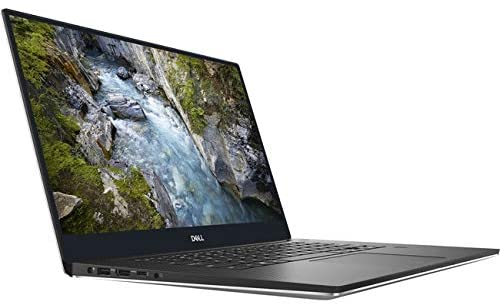
The Dell Precision 5540 is Dell’s XPS-derived mobile workstation, built for ISV-certified professional graphics work. Here’s our full hands-on look.
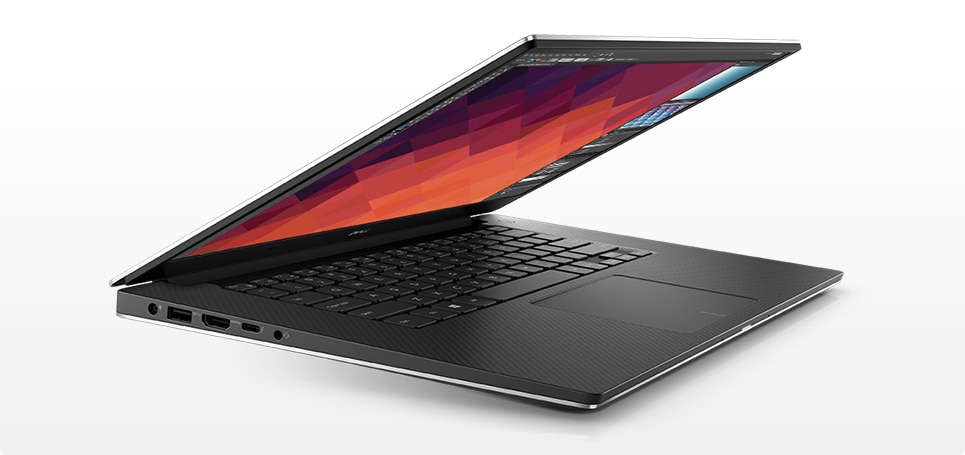
Dell has decided to leave the physical features of its business laptops unchanged and instead focused on hardware upgrades. The result is today’s test model Dell Precision 5540, which is equipped with an Intel Core i9-9980HK and an Nvidia Quadro T2000 Max-Q. These components make it the workstation counterpart to the Dell XPS 15 with GeForce GTX 1650. The Precision 5540 comes with 32 GB of RAM and a 512-GB SSD.

The Dell Precision 5540 has proven itself to be a capable workstation. While the chassis is based on the same design and thus of the same high quality as the XPS 15, it is also the reason for the meager port selection. That said, the Thunderbolt 3 port offers a lot of flexibility and is able to make up for the missing ports with an appropriate adapter.

The Dell Precision 5540 is a good choice for users who are in the market for a device with mid-range performance and a high-resolution display. As usual, the chassis is solid and the battery life is good.

Unfortunately, the CPU does not perform quite as well as expected. Although the Nvidia Quadro T2000 reaches its expected performance level, the processor cannot quite keep up. Performance tends to steadily drop to be 15% slower at the end than the initial peak score in our test loop. Although the 4K OLED display looks fantastic, it comes at the cost of a significantly decreased battery life.

Dell Precision lineup on Wikipedia
techgurl
Dell Precision 5540 Specs
- CPU: 9th-gen Intel Core, up to Core i9-9980HK (8-core)
- GPU: NVIDIA Quadro T1000 or T2000 Max-Q
- Display: 15.6″ FHD, 4K, or 4K OLED options, all InfinityEdge
- RAM: Two DDR4 SO-DIMM slots, up to 32GB in our test configuration (64GB supported on some BIOS revisions)
- Storage: Up to two M.2 NVMe slots depending on configuration
- Ports: Thunderbolt 3, one USB-A, HDMI, SD card reader — genuinely limited, by design, to keep the XPS-derived chassis thin
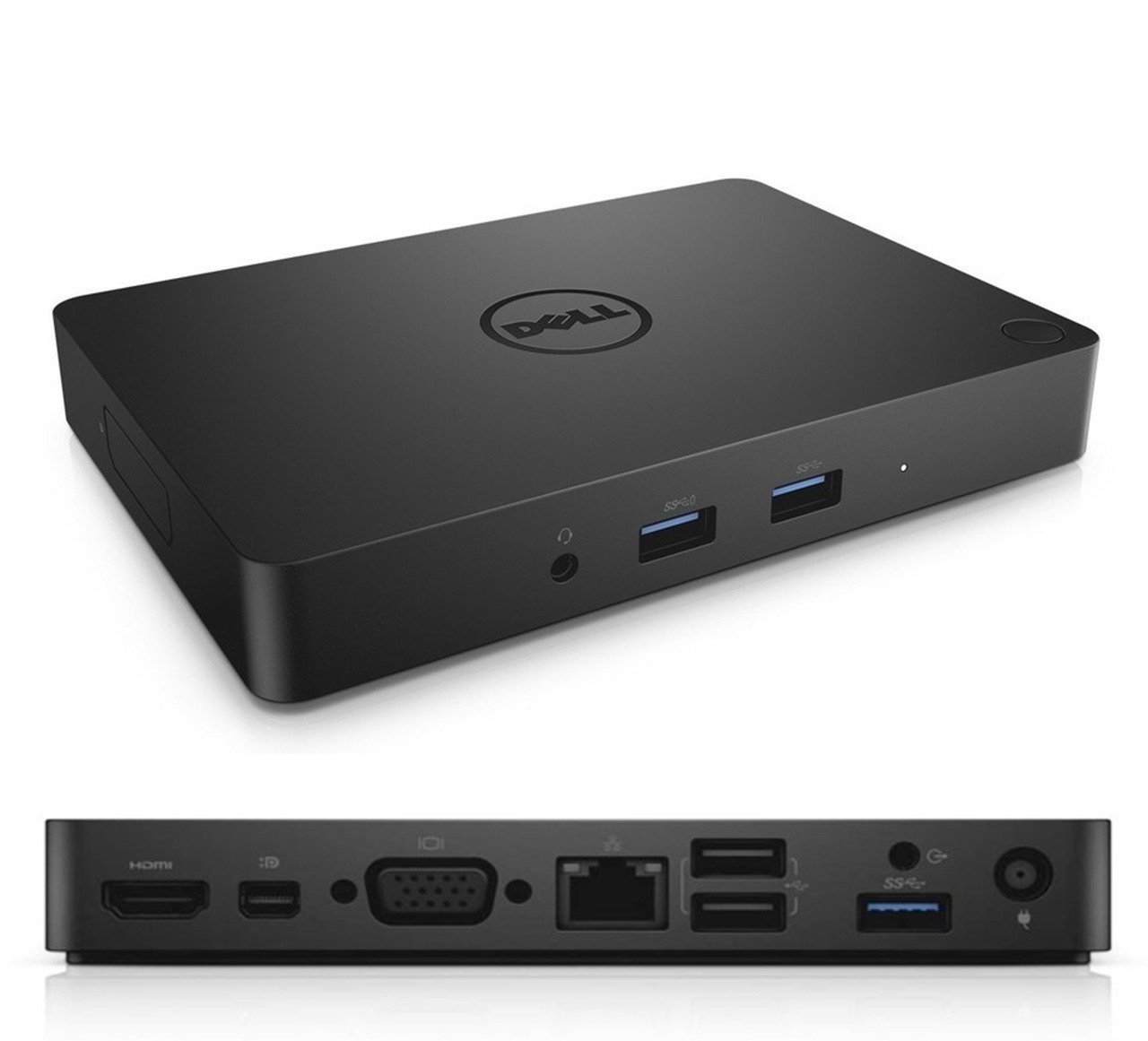
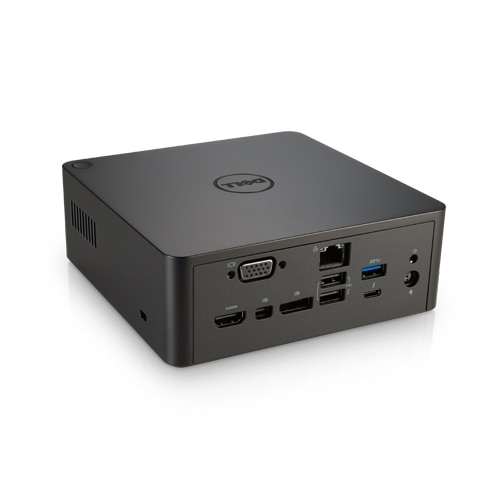
As we noted above, the Dell Precision 5540 shares its chassis with the XPS 15, which is exactly why the port selection is so limited for a workstation — Dell prioritized the thin, XPS-style build over the traditionally port-heavy Precision design language. That Thunderbolt 3 port is doing a lot of work as a result; if you regularly need Ethernet, extra USB-A ports, or multiple external displays, plan on a Thunderbolt dock similar to the ThinkPad Thunderbolt 3 Dock Gen 2 we covered separately, since a bare USB-C hub won’t give you the same reliability for a workstation you’re using daily.
Living With the CPU Throttling We Measured
The sustained performance drop we measured in our test loop — roughly 15% down from the initial peak by the end of extended load — is a thermal design trade-off rather than a defect, and it’s worth planning around rather than being surprised by. If you’re running long render jobs or extended CAD simulations, expect the Core i9-9980HK to settle into a lower sustained clock speed after the first several minutes rather than holding its peak turbo indefinitely. For short bursts of demanding work, the initial peak performance is genuinely excellent; for hours-long render queues, budget your expectations around the sustained, throttled figure instead.
Upgrading and Buying Tips
Both SO-DIMM slots are user-accessible under the bottom panel, so a Dell Precision 5540 RAM upgrade is straightforward if your unit shipped with less than the 32GB our review configuration carried. Storage is similarly accessible — an Dell Precision 5540 NVMe SSD upgrade is worth doing if your unit shipped with a single, smaller drive, particularly if you’re working with large CAD assemblies or 4K video projects that benefit from faster scratch-disk speeds. If you’re shopping used and the original power brick is missing, make sure you replace it with a properly rated Dell Precision 5540 130W charger rather than a lower-wattage universal adapter — this CPU and GPU combination draws enough under sustained load that an undersized charger will throttle performance further than the thermal design already does on its own.
Is the Dell Precision 5540 Worth Buying Today?
If you specifically want ISV-certified professional graphics in an XPS-style thin chassis, and you’re comfortable with the reduced port count and the sustained-load throttling we measured, the Dell Precision 5540 remains a strong pick on the used and refurbished market, especially in the 4K OLED configuration if display quality matters more to you than maximum battery life. Buyers who need consistent, unthrottled sustained performance for long render queues should look at a larger workstation chassis with better cooling headroom instead.
Dell Precision 5540 vs. the XPS 15: What You’re Actually Paying For
Since the Precision 5540 shares its chassis, keyboard, and trackpad with the consumer XPS 15, the natural question is what the Precision premium actually buys you over a similarly specced XPS. The honest answer is: certified drivers and ISV validation, not raw hardware. The Quadro T1000/T2000 GPUs in the Precision are, at the silicon level, closely related to consumer GeForce parts of the same generation — the meaningful difference is Dell and NVIDIA jointly test and certify the Precision’s driver stack against professional applications like SolidWorks, Revit, and AutoCAD, guaranteeing a level of stability that consumer GeForce drivers aren’t tested against. If you don’t run ISV-certified professional software, you’re paying for a guarantee you won’t use, and a similarly configured XPS 15 with a GeForce GTX or RTX GPU will generally outperform the Precision’s Quadro in games and consumer creative apps for less money.
Where the Precision earns its keep is specifically in professional workflows where a driver crash mid-render or mid-simulation is a genuine productivity cost, not just an inconvenience. Engineering firms, architecture studios, and CAD-heavy small businesses are the buyers who see real value from the certification; freelance video editors, photographers, and general power users are usually better served putting the same budget toward an XPS 15 or similar consumer workstation-class laptop instead.
4K OLED Display: Worth the Battery Trade-Off?
The 4K OLED panel option we referenced above looks genuinely excellent — deep blacks, wide color gamut, and sharp text at native resolution — but it’s a meaningful battery-life trade-off, not a free upgrade. If your workflow doesn’t specifically benefit from OLED’s color accuracy (photo and video color grading being the obvious examples), the standard FHD panel will get you noticeably more unplugged runtime for daily productivity work, and it’s also easier on your eyes for long text-heavy sessions where OLED’s very high contrast can actually feel less comfortable than a well-calibrated IPS panel over an eight-hour workday.
Weigh your actual display needs honestly before paying the OLED premium, since the standard FHD panel is genuinely the better all-day choice for most buyers outside of dedicated color-critical work, and it leaves more of your budget for RAM or storage upgrades instead.
Whichever configuration you land on, the Dell Precision 5540 remains one of the more compelling thin-and-light professional workstations from its generation, and a smart pickup on today’s discounted refurbished market for the right buyer with certified-software needs.
Match the configuration to your actual software requirements, budget for a Thunderbolt dock if you need more ports, and this machine will serve you well for years of professional use.
That combination of certified stability, a genuinely premium chassis, and strong secondary-market pricing is exactly why the Precision 5540 still earns a recommendation today.