
As an Amazon Associate and an AliExpress affiliate, TechGurl earns from qualifying purchases. Some links on this page are affiliate links — if you buy through them we may receive a commission, at no extra cost to you. This never affects which products we cover or what we say about them.
Disclosure: This article contains affiliate links. If you buy through them we may earn a small commission at no extra cost to you.
Dealing with sudden myfitnesspal glitches can throw your entire nutrition and workout routine off balance. Few issues are as frustrating as opening your food diary only to discover hundreds of unprompted bonus calories added to your daily budget, or having the app boot you back to the login screen right when you are trying to scan a barcode at the grocery store. These two behaviors—erratic calorie changes and spontaneous account sign-outs—are among the most widely reported technical hurdles that users experience across both iOS and Android devices.

While these problems feel like random application crashes, they usually stem from predictable software interactions. Automated calorie adjustments occur because of algorithmic discrepancies between external health platforms and MyFitnessPal's baseline metabolic calculations. Meanwhile, persistent sign-outs are typically caused by expired authentication tokens, background sync conflicts, or corrupted local cache files. In this guide, we break down the exact underlying mechanics behind both problems and provide step-by-step methods to restore normal behavior.
Why MyFitnessPal Automatically Adds Calories
When you spot extra calories added to your daily diary without manually logging exercise, your connected fitness ecosystem is almost always responsible. MyFitnessPal does not pull arbitrary calorie totals out of thin air; it responds to data streams delivered by connected devices such as an Apple Watch, Garmin smartwatch, Fitbit, or Google Health Connect.
1. The Calorie Adjustment Algorithm
When you set up your profile, MyFitnessPal estimates your total daily energy expenditure based on your selected profile activity level (Sedentary, Lightly Active, Active, or Very Active). This estimate incorporates your basal metabolic rate along with an assumed baseline of incidental movement throughout the day.
When you pair a continuous tracker like an Apple Watch or Garmin, MyFitnessPal compares the tracker's actual calorie estimate against its own projected baseline at that specific time of day. If your tracker reports that you have burned more energy by 2:00 PM than MyFitnessPal projected you would burn by that hour, the app awards you a "Calorie Adjustment" in your exercise diary. This adjustment increases your remaining calorie allowance so you do not under-fuel relative to your activity.
2. Double-Logging from Multiple Health Services
Another scenario where unexpected myfitnesspal glitches create surplus calories is duplicate data ingestion. If you track an outdoor run with Strava while wearing an Apple Watch, both services might push that activity into Apple Health. If MyFitnessPal has permissions to read workouts from both Strava directly and Apple Health as a whole, it can count the same 45-minute run twice—once as a dedicated workout entry and once inside the elevated total active calorie adjustment.
3. Step Source Misconfigurations
Inside the app settings, users can assign a specific device to calculate daily steps. If your primary step source is toggled to your iPhone or Android phone's internal pedometer rather than your dedicated smartwatch, the app may oscillate between conflicting activity data whenever you set down your phone to work out. The discrepancy forces recalculations that look like sudden calorie swings.
How to Stop Unwanted Calorie Increases
If you prefer to keep your calorie target static and do not want your daily allowance shifting based on step counts or ambient activity, you can modify how MyFitnessPal interacts with your health data.
- Disable Calorie Adjustments: If you are a MyFitnessPal Premium subscriber, navigate to Settings > Diary Settings and disable Negative & Positive Calorie Adjustments. This keeps your dietary calorie target locked regardless of device burn.
- Disconnect Redundant Integrations: Open Apps & Devices inside the main menu. Inspect your active connections. If you sync through Apple Health or Health Connect, disconnect secondary fitness apps like Strava, Nike Run Club, or Peloton from MyFitnessPal directly. Allow those third-party apps to send data solely to your primary health hub instead.
- Turn Off Step Tracking: If incidental walking should not grant you extra food allowance, go to Settings > Steps and choose Don't track steps. Your wearable will still record workouts you explicitly start, but passive pacing will no longer inflate your daily calorie total.
If you rely on continuous workout metrics for high-intensity training where optical wrist sensors frequently register inaccurate spikes, pairing an external chest sensor provides far more consistent data streams to your tracker.
Polar H10 Heart Rate Monitor — check today’s price
Why MyFitnessPal Keeps Signing You Out
Getting unexpectedly logged out of your account points to an issue with authentication tokens rather than dietary formulas. Modern mobile applications use OAuth refresh tokens to maintain your session in the background so you do not have to type your password every time you launch the app.

When these tokens become invalid or fail to communicate with the remote server, the application terminates the active session for security reasons. The root causes usually involve one of the following factors:
- Token Expiration During Background Sync: If the app initiates a background sync while your phone has an unstable cellular connection or shifts from mobile data to a captive Wi-Fi portal, the security token exchange can fail, forcing the app to drop you back to the authentication screen.
- Local Database Corruption: MyFitnessPal maintains an offline SQLite database on your phone containing recently cached foods, meal templates, and user state data. If an app update installs improperly or the operating system terminates the app midway through writing to storage, that local cache can corrupt. When the app encounters an unreadable database on launch, it resets the session.
- Concurrent Logins and Credential Desync: If you access MyFitnessPal across multiple devices—such as an iPad, an iPhone, and an office desktop browser—a session termination on one device or a password change can revoke the global refresh token across the others.
- Aggressive OS Battery Optimization: Android devices from manufacturers like Xiaomi, Samsung, and OnePlus frequently freeze background app processes to conserve battery. Killing MyFitnessPal while it attempts a network sync can interrupt authentication handshakes.
Step-by-Step Fixes for Myfitnesspal Glitches
If you are tired of typing your password multiple times a week or watching your food diary fluctuate wildly, resolving these persistent myfitnesspal glitches requires a systematic refresh of your local data and partner permissions.
Step 1: Perform a Full Cache and App Data Clear
On Android, open your device's Settings > Apps > MyFitnessPal > Storage. Tap Clear Cache, followed by Clear Data. This eliminates corrupted local temporary files without deleting your historical food logs, which reside securely on MyFitnessPal's cloud servers.
On iOS, navigating to Settings > General > iPhone Storage > MyFitnessPal and selecting Delete App (rather than Offload App) ensures all residual data containers are wiped before you perform a clean download from the App Store.
Step 2: Re-Authenticate Partner Connections
Corrupted permission handshakes between Apple Health, Health Connect, and MyFitnessPal frequently cause both calorie inflation and background login timeouts. Go into your phone's master health permissions, revoke all access for MyFitnessPal, reboot your phone, and then re-enable the permissions from scratch within the MyFitnessPal interface.
Step 3: Whitelist the App from Aggressive Battery Savers
Prevent your mobile operating system from killing background synchronization prematurely:
- Android: Long-press the MyFitnessPal app icon, tap App Info > Battery, and switch the profile from "Optimized" or "Restricted" to Unrestricted.
- iOS: Navigate to Settings > General > Background App Refresh and verify that the toggle is enabled for MyFitnessPal.
Handy tools on AliExpress
Maintaining consistent tracking and reliable hardware connections helps eliminate synchronization errors and erratic metric spikes across your health apps.
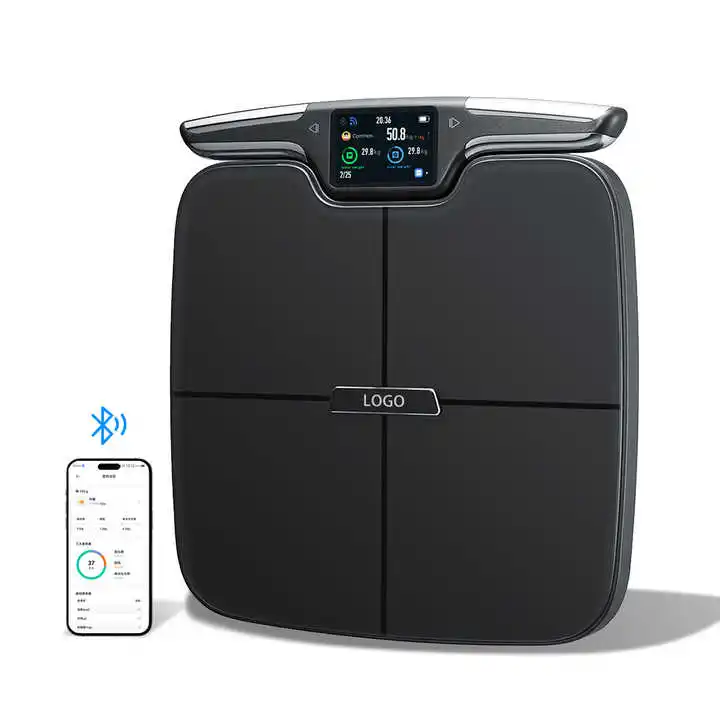
Smart Body Fat Scale 8-Electrode Body Composition Analyzer with Hand & Foot Electrodes for
$110.70 $221.40 on AliExpress

Body Fat Scale Smart Wireless Digital Bathroom Weight Scale Body Composition Analyzer With
$24.46 $50.95 on AliExpress
Common Mistakes to Avoid
- Manually logging cardio that your watch already recorded: If your watch syncs an outdoor run automatically, adding that same run under "Cardiovascular Exercise" creates a massive artificial calorie surplus.
- Ignoring pending app updates: Running an outdated version of the app while the developer alters backend API endpoints is the primary cause of sudden session disconnects.
- Connecting multiple aggregator apps simultaneously: Pairing both Google Fit and Samsung Health (or Apple Health alongside third-party trackers) inevitably leads to conflicting step and calorie tallies.
- Using unstable VPNs: Routing your connection through commercial VPN servers that frequently swap IP addresses can trigger MyFitnessPal's automated fraud and security systems, logging you out for protection.
Frequently Asked Questions
Why does MyFitnessPal add calories back after I log exercise?
By default, the application is designed around energy balance. If you set a 1,800-calorie daily goal for weight loss and then burn 400 calories during a jog, the app raises your daily food budget to 2,200 calories to keep your planned net deficit consistent. You can disregard these added calories or turn off exercise calorie adjustments in your diary settings if you prefer a static budget.
Does turning off step tracking stop exercise from being imported?
No. Disabling step tracking simply prevents passive daily walking from influencing your calorie target. Dedicated workouts that you record on a fitness watch or third-party training app will still sync over as discrete exercise sessions unless you specifically disable workout permissions in your health hub.
Why does the app log me out whenever I turn off Wi-Fi?
When switching between Wi-Fi and cellular networks, your device's IP address shifts instantly. If the app is midway through a background database sync when this network handover occurs, the security token exchange can break, causing the server to reject the session and present the login screen.
Will uninstalling the app delete my saved recipes and weight history?
No. Your food diary, custom recipes, weight logs, and account profile are stored on MyFitnessPal's remote servers. Uninstalling and reinstalling the app only clears the locally stored database on your phone.
Conclusion
Unwanted calorie boosts and unexpected session sign-outs can make tracking your nutrition feel like an uphill battle. By establishing a single source of truth for your step data, pruning redundant fitness integrations, and refreshing your local app cache, you can eliminate erratic daily targets and prevent future myfitnesspal glitches from interrupting your logging habits. For deeper recommendations on keeping your fitness hardware and tracking software operating in harmony, explore our Why Your Action Camera Stops Recording: 6 Causes & Fixes to ensure your devices work seamlessly together every day.