As an Amazon Associate and an AliExpress affiliate, TechGurl earns from qualifying purchases. Some links on this page are affiliate links — if you buy through them we may receive a commission, at no extra cost to you. This never affects which products we cover or what we say about them.
Disclosure: This article contains affiliate links. If you buy through them we may earn a small commission at no extra cost to you.

Choosing between a 4k monitor vs. 1440p monitor is one of the most critical decisions you will make when building or upgrading your desktop workspace. The jump in clarity from older 1080p screens is massive in either case, but 4K (3840 × 2160) and 1440p (2560 × 1440, commonly called QHD) serve distinctly different user priorities, visual demands, and hardware budgets.
While 4K delivers staggering detail and expansive workspace, 1440p holds the crown among competitive gamers and value-conscious buyers for its accessible frame rates and affordable high-refresh-rate panels. Understanding how pixel density, GPU rendering overhead, and panel sizes interact is essential before pulling the trigger on a new screen.
Resolution and Pixel Density Explained
Resolution tells you the raw number of pixels on a panel, but pixel density—measured in pixels per inch (PPI)—determines actual sharpness. A standard 2560 × 1440 display packs roughly 3.68 million pixels. By contrast, a 3840 × 2160 display packs approximately 8.29 million pixels—more than double the pixel count of 1440p.
On a popular 27-inch panel, 1440p yields about 108.8 PPI, which produces crisp text and sharp gaming visuals without requiring operating system UI scaling. A 27-inch 4K panel reaches roughly 163.1 PPI, offering retina-like clarity where individual pixels become nearly invisible at normal desk viewing distances. When moving up to a 32-inch screen, 1440p drops to roughly 91.8 PPI (similar to a standard 24-inch 1080p display), while 32-inch 4K maintains an impressive 137.7 PPI, making 4K vastly superior for larger desktop displays.
Gaming Performance: 4K Monitor vs. 1440p Monitor
For PC gamers, resolution directly dictates graphical workload. Pushing 8.3 million pixels every frame requires immense rendering power from your graphics card. In extensive GPU suite testing by Tom’s Hardware GPU benchmarks hierarchy, rendering modern AAA titles at native 4K ultra settings requires top-tier GPUs like the Nvidia GeForce RTX 4080 or RTX 4090 to consistently sustain 60 to 100+ frames per second without heavy upscaling.
Conversely, 1440p is far gentler on your GPU. Upper-midrange graphics cards like the GeForce RTX 4070 or AMD Radeon RX 7800 XT routinely achieve triple-digit frame rates at 1440p across demanding titles. For esports titles like Counter-Strike 2, Apex Legends, or Valorant, a 1440p monitor paired with a 165Hz or 240Hz refresh rate delivers the ideal blend of target clarity and fluid motion responsiveness without breaking your hardware budget.
Productivity and Daily Workflows
If your primary focus is productivity, coding, graphic design, or video editing, the resolution battle shifts heavily in favor of 4K. The sheer canvas space of 4K allows you to view multiple full-width browser tabs, dense spreadsheets, and software timeline panels side by side with impeccable legibility.
Text rendering is another major factor. On Windows and macOS alike, higher PPI eliminates blurry letter edges and subpixel color fringing. While macOS often requires external utility scaling tweaks to handle 1440p cleanly due to Apple’s display rendering architecture, 4K displays scale much more naturally. For creative professionals doing color grading or photo editing, 4K has rapidly become the universal baseline standard.
Head-to-Head Specification Comparison
To see how these two popular display categories stack up across real-world hardware criteria, review the comprehensive comparison below:
| Feature / Metric | 1440p (QHD) Monitor | 4K (UHD) Monitor |
|---|---|---|
| Raw Resolution | 2560 × 1440 | 3840 × 2160 |
| Total Pixel Count | ~3.68 Million Pixels | ~8.29 Million Pixels |
| Ideal Screen Sizes | 27 inches (sweet spot) | 27 to 32+ inches |
| Pixel Density at 27 Inches | ~109 PPI | ~163 PPI |
| Pixel Density at 32 Inches | ~92 PPI | ~138 PPI |
| Typical Refresh Rates | 144Hz, 165Hz, up to 240Hz+ | 60Hz (budget), 144Hz (enthusiast) |
| Recommended GPU Tier | Midrange (e.g., RTX 4060 Ti / 4070) | High-end (e.g., RTX 4070 Ti Super / 4080+) |
| OS Scaling Requirement | 100% Native on 27 inches | 125% – 150% recommended |
| Average Entry Price Range | $180 – $350 (High Refresh IPS) | $250 (60Hz) – $600+ (144Hz IPS) |
Top Real-World Hardware Contenders
When shopping for these resolutions today, two standout monitors lead their respective classes in performance, color accuracy, and build reliability.
1. LG 27GP850-B UltraGear (Best 1440p Gaming Value)
The LG 27GP850-B remains one of the gold standards among 1440p gaming displays. Built around a stellar 27-inch Nano IPS panel, it features a native 2560 × 1440 resolution, 165Hz native refresh rate (overclockable to 180Hz according to LG’s official specifications), and a rated 1ms gray-to-gray response time.
It provides wide 98% DCI-P3 color gamut coverage, AMD FreeSync Premium, and Nvidia G-Sync Compatible certification. For competitive multiplayer enthusiasts and general PC users who want butter-smooth motion without overtaxing their graphics card, this monitor represents the ultimate price-to-performance sweet spot.
LG 27GP850-B — check today’s price
2. Dell UltraSharp U2723QE (Best 4K Productivity Display)
For office professionals, developers, and visual creatives, the Dell UltraSharp U2723QE offers masterclass performance. This 27-inch 4K monitor utilizes an IPS Black panel, which Dell rates for an impressive 2000:1 static contrast ratio—delivering noticeably deeper black levels and richer shadow detail than traditional IPS panels.
In addition to 3840 × 2160 clarity and 98% DCI-P3 color accuracy, it acts as a comprehensive USB-C hub with up to 90W Power Delivery, an integrated RJ45 Ethernet port, and a built-in KVM switch that allows you to control two computers using one keyboard and mouse setup.
Dell UltraSharp U2723QE — check today’s price
Related picks on AliExpress
If you want capable desktop displays at competitive direct-import price points, consider these solid alternatives available through AliExpress:

Hot Sale Curved Screen Monitors 24 32 34 Inch Ips Lcd Monitor 144hz 165 hz 4K 1080P 3440*
$328.64 $342.33 on AliExpress
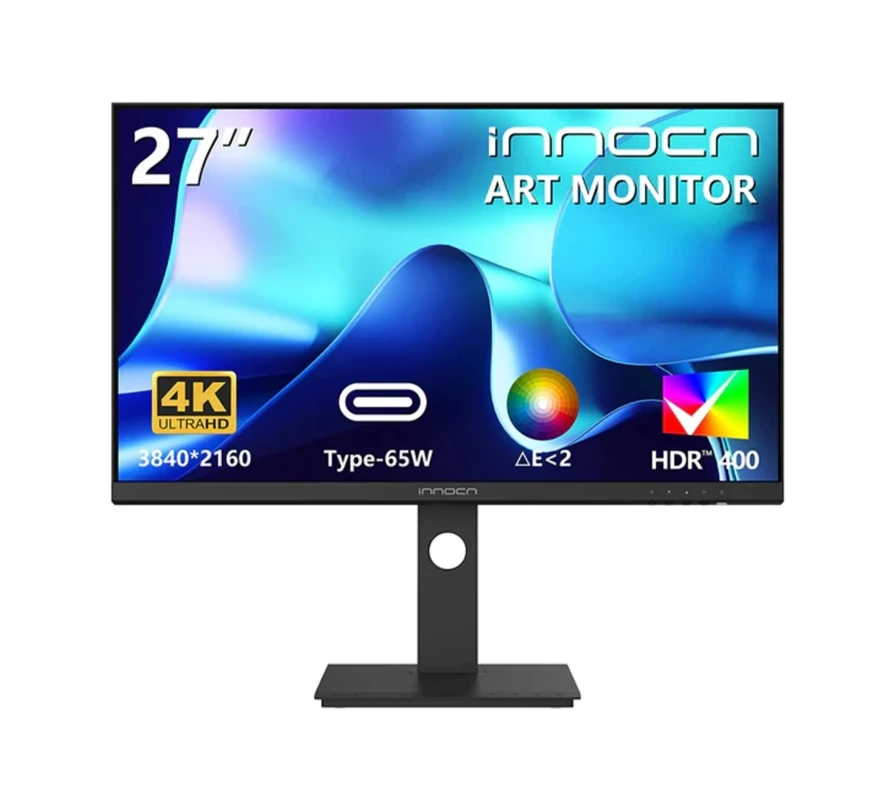
INNOCN 27D1U 27inch IPS Screen 60Hz 3840*2160 DCP3 Display HDMI+DP+Type-C 65W+speaker HDR4
$301.00 $430.00 on AliExpress

24 27 32 Inch IPS HDR LED Gamer Borderless Display Monitors 60hz 144Hz 160Hz 2K/4K LCD Gam
$146.48 on AliExpress

Which One Should You Buy?
The decision between a 4k monitor vs. 1440p monitor ultimately boils down to your primary use case and system specifications:
Buy a 1440p monitor if:
- Your focus is primarily fast-paced gaming, esports, or simulation titles where high frame rates (120FPS to 240FPS) matter more than pure resolution.
- You have a midrange graphics card and do not plan to invest in flagship GPU hardware.
- You are buying a 27-inch screen size, where 109 PPI is already sufficiently sharp for reading and everyday tasks.
- You want top-tier gaming specs at an accessible sub-$300 price point.
Buy a 4K monitor if:
- You spend significant hours reading text, programming, editing photos/video, or multitasking with side-by-side windows.
- You are buying a 32-inch or larger display, where 1440p starts looking pixelated at close range.
- You own a high-end graphics card capable of driving 4K or rely on advanced upscaling technologies like DLSS or FSR.
- You connect a modern console like the PlayStation 5 or Xbox Series X, which native-output at 4K.
Frequently Asked Questions
Can a midrange GPU run games smoothly on a 4K monitor?
Modern midrange GPUs can run lighter indie games or older titles smoothly at 4K. For modern graphics-intensive releases, you will generally need to lower graphical presets or utilize upscaling technologies like Nvidia DLSS, AMD FSR, or Intel XeSS to achieve playable frame rates on a 4K display.
Is 4K noticeable on a 27-inch monitor?
Yes, 4K is visibly sharper on a 27-inch display compared to 1440p, particularly in fine text elements, user interface menus, and detailed photography. However, the visual jump is less dramatic than moving from 1080p to 1440p, which is why many desktop users view 27-inch 1440p as the balanced choice.
Does 1440p look blurry on a 4K monitor?
Displaying 1440p content on a native 4K display can cause slight softness because 3840 × 2160 does not divide evenly into 2560 × 1440 (non-integer scaling). For the sharpest experience, you should always run your monitor at its native panel resolution whenever possible.
Conclusion
Whether you choose the high-velocity fluidity of a 1440p gaming screen or the immaculate clarity of a 4K creative workstation, both display resolutions provide a massive quality-of-life leap over standard 1080p. If you want to dive deeper into desktop accessories and panel technology, check our comprehensive Ring Doorbell vs. Security Camera: Which Smart Device Offers Better Home Protection? to optimize every component of your battlestation.