As an Amazon Associate and an AliExpress affiliate, TechGurl earns from qualifying purchases. Some links on this page are affiliate links — if you buy through them we may receive a commission, at no extra cost to you. This never affects which products we cover or what we say about them.
The Microsoft Ergonomic Bluetooth Mouse ships with batteries already installed and no USB dongle at all — it’s Bluetooth-only, which simplifies setup but is worth knowing before you buy.
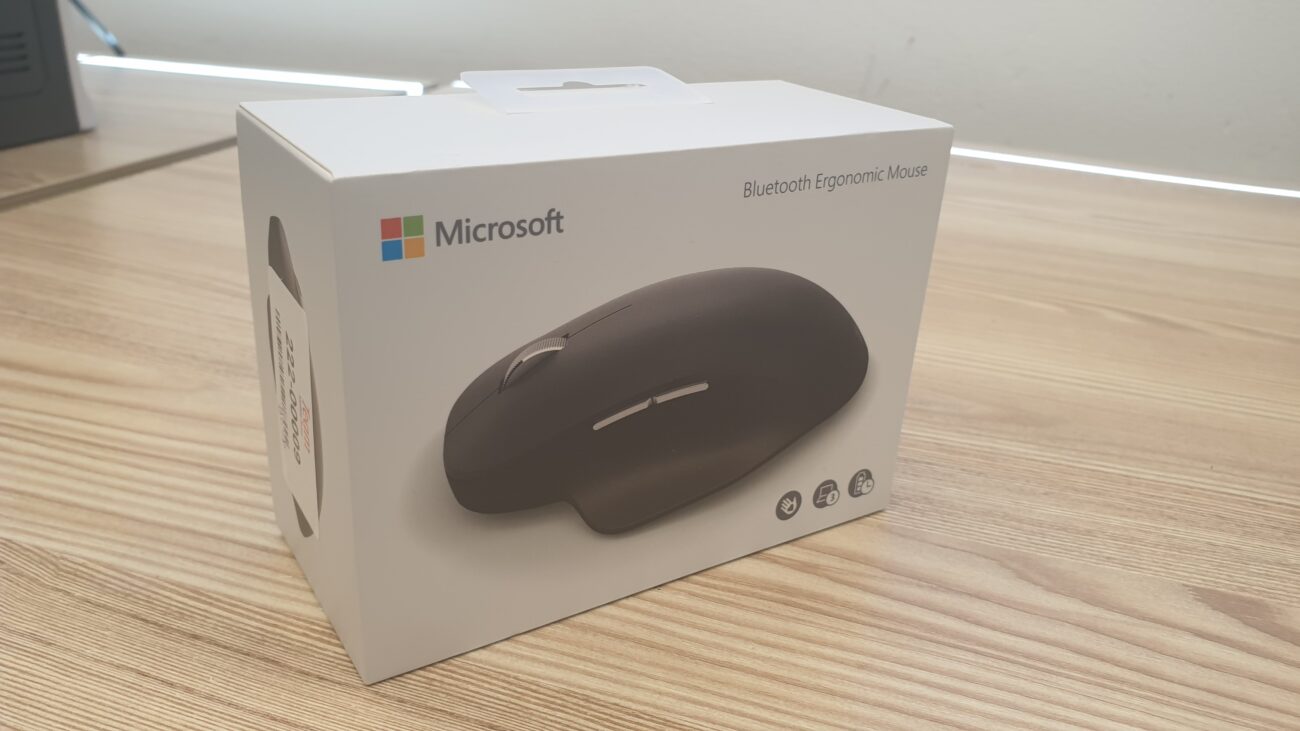
Here’s a nice hard box with a brand-new Microsoft ergonomic Bluetooth mouse! There’s nothing in this box besides the mouse and some papers.
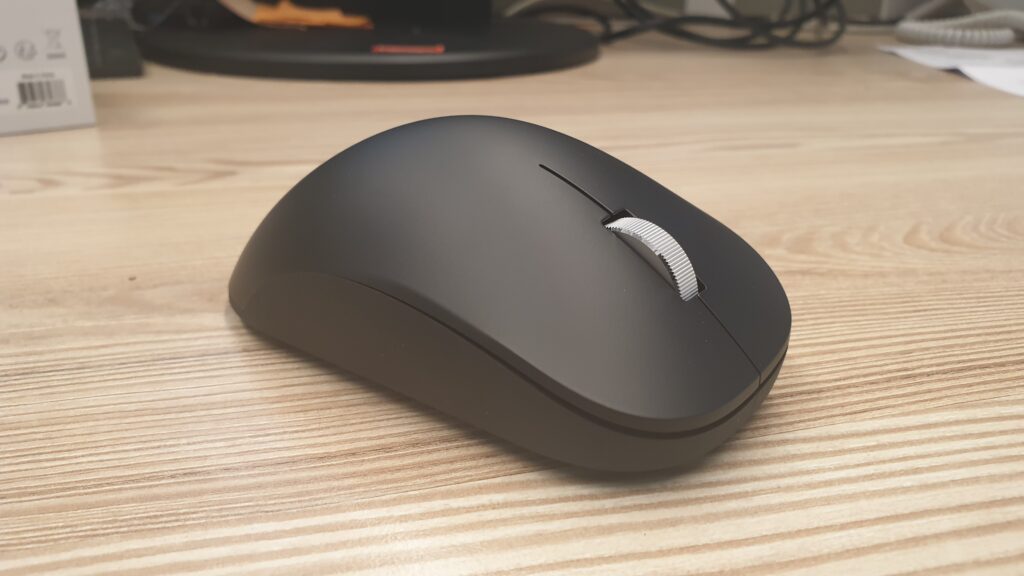
Microsoft did not include any USB dongle and even the batteries are already inside the mouse. The mouse buttons are nice and quiet. The shape of the mouse is very comfortable to use and the pairing process is straight forward.
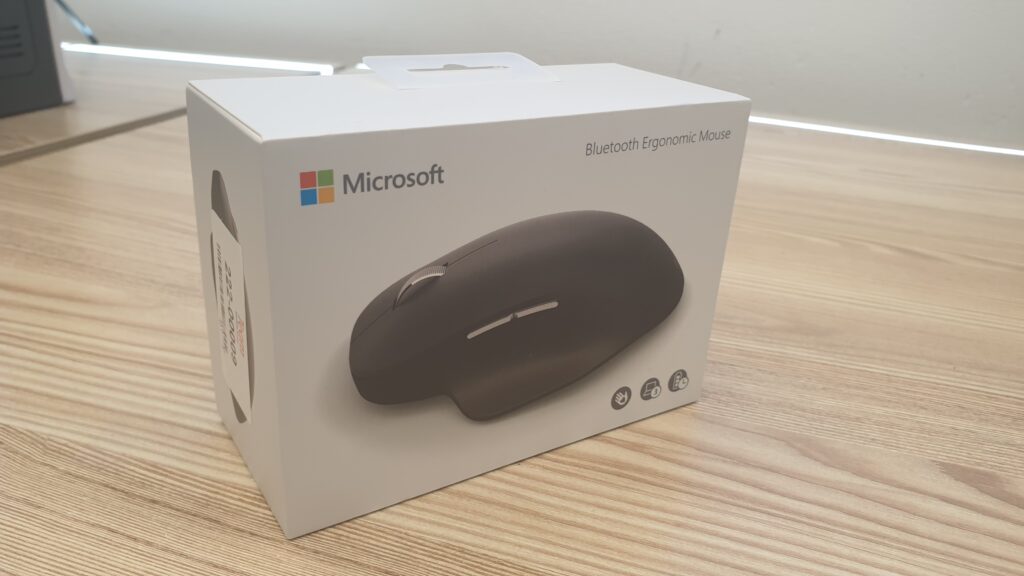
Overall this feels like my next main mouse and I hope it will last. The price is around $50 on Microsoft store and it is available in 4 cool colors.
Amazon’s Choice ProductsGreat mouse!
techgurl
Microsoft Ergonomic Bluetooth Mouse: What’s in the Box
Unbox a Microsoft Ergonomic Mouse and you’ll find just the mouse itself and a quick-start card — no dongle, because pairing happens over standard Bluetooth. The batteries are pre-installed, so it’s genuinely ready to pair within a minute of opening the box.
Comfort and Build Quality
The shape is the whole point of this mouse: a pronounced ergonomic curve designed to keep the wrist in a more neutral position during long work sessions, making it a solid pick among ergonomic wireless mice for wrist pain. The buttons are quiet — noticeably quieter than most standard mice — and the mouse comes in four color options. At around $50 direct from the Microsoft Store, it sits solidly in the mid-range price bracket.
Microsoft Ergonomic Bluetooth Mouse vs. Logitech’s Ergonomic Line
The Logitech MX Vertical competes directly in this space, generally with more configurable buttons and companion software. The Microsoft Ergonomic Bluetooth Mouse trades that extra configurability for simplicity — it just pairs and works, no software required, which makes it a strong pick if you just want a reliable Bluetooth mouse for a laptop without fiddling with settings. Microsoft’s own support site has setup and troubleshooting guidance if pairing ever gets finicky.
Frequently Asked Questions
Does the Microsoft Ergonomic Bluetooth Mouse need a USB dongle?
No — it connects over standard Bluetooth to any Bluetooth-enabled PC, laptop, or tablet, no dongle required.
Is the Microsoft Ergonomic Bluetooth Mouse good for gaming?
It’s built for productivity and comfort, not gaming — if you want a comparable ergonomic shape with gaming-focused specs, check a dedicated gaming mouse instead.
Related: The Best Gaming Mouse for 2026
Battery Life on the Microsoft Ergonomic Bluetooth Mouse
Running on standard AA or AAA batteries (check the specific model, as Microsoft has shipped slightly different variants), this mouse comfortably lasts several months of daily office use before a battery swap is needed. There’s no rechargeable battery to manage and no charging cable to keep track of — you replace batteries a couple of times a year and otherwise never think about power again.
Who Should Actually Buy This Mouse
The Microsoft Ergonomic Bluetooth Mouse makes the most sense for anyone who spends long hours at a desk and wants genuine wrist-angle relief without learning new software or configuring buttons. It’s a poor fit if you want programmable buttons for productivity macros or gaming — for that, a more configurable mouse with companion software is the better tool for the job.
Final Verdict
At around $50, this mouse delivers exactly what it promises: comfortable, quiet, dongle-free ergonomic support that just works the moment you pair it. It won’t wow anyone with features, but it doesn’t need to — the shape and the simplicity are the entire pitch, and both hold up in daily use.
Pairing Tips for a Smooth First Connection
Pairing the Microsoft Ergonomic Bluetooth Mouse is straightforward, but a couple of small things help it go smoothly the first time: make sure your PC’s Bluetooth is turned on and in pairing mode before pressing the small pairing button on the bottom of the mouse, and stay within a few feet of the PC during the initial handshake. Once paired, the connection is remembered and reconnects automatically every time the mouse wakes up.
Cleaning and Long-Term Care
The Microsoft Ergonomic Bluetooth Mouse has no unusual maintenance needs — a damp cloth for the shell and an occasional check that the optical sensor on the bottom is free of dust keeps it working like new for years. Because there is no rechargeable battery to degrade over time, the mouse’s functional lifespan is really limited only by the mechanical switches under the buttons, which on Microsoft’s hardware tend to hold up well through years of regular use.
Where to Buy It
It is sold directly through the Microsoft Store as well as through Amazon and most major electronics retailers, generally at the same price across all of them — there is rarely a meaningful discount to chase between retailers on this particular model.
Comparing Colors and Finishes
The Microsoft Ergonomic Bluetooth Mouse ships in four colors, and beyond aesthetics, the matte finish across all of them resists fingerprints and smudging noticeably better than the glossy plastic used on some competing ergonomic mice — a small but genuinely noticeable detail after a few months of daily hand contact.
How It Holds Up After Months of Use
The scroll wheel and buttons show no signs of wear or looseness after extended daily use, and the Bluetooth connection has remained stable without needing to re-pair — exactly the kind of unglamorous reliability you want from a mouse that is meant to disappear into the background of daily work rather than draw attention to itself.
A Small But Useful Detail
Because the Microsoft Ergonomic Bluetooth Mouse has no software to install, there is genuinely nothing to configure or update over its lifetime beyond swapping batteries — a refreshing amount of simplicity compared to most modern peripherals that expect a companion app.
Closing Thoughts
The Microsoft Ergonomic Bluetooth Mouse remains a strong, low-maintenance pick for anyone prioritizing wrist comfort over configurable extras, and after extended use it continues to feel like a smart, simple purchase.
One Final Thought
Ergonomic peripherals are one of those categories where the “best” choice is genuinely personal — hand size, grip style, and desk setup all affect how well any given ergonomic mouse actually feels, so treat every review, including this one, as a data point rather than a guarantee for your specific hands.
Read a handful of reviews, ideally from people who mention hand size or grip style explicitly, cross-reference that against your own hand, and you will get a far more reliable read on fit than any single review — including a favorable one like this — can promise on its own for every single reader.
Wrapping Up
Ergonomic mice succeed or fail almost entirely based on how a specific hand interacts with a specific shape, which is exactly why trying one in person, even briefly at a store display, beats relying purely on online reviews when your budget allows for that extra step before committing to a purchase.
A five-minute in-store test, where available, remains the single most reliable way to know for certain before you spend the money on any ergonomic peripheral, this one included.
Do that test drive first, whenever a store display makes it possible, and the decision becomes far easier to make with real confidence.
It costs nothing but a short trip and saves genuine buyer’s remorse down the road.
It really is worth that small extra step before you commit to buying one.
Worth the short detour.
nFinal word.
A short test drive in person remains the single best way to know for certain, whenever that option is actually available to you.