As an Amazon Associate and an AliExpress affiliate, TechGurl earns from qualifying purchases. Some links on this page are affiliate links — if you buy through them we may receive a commission, at no extra cost to you. This never affects which products we cover or what we say about them.
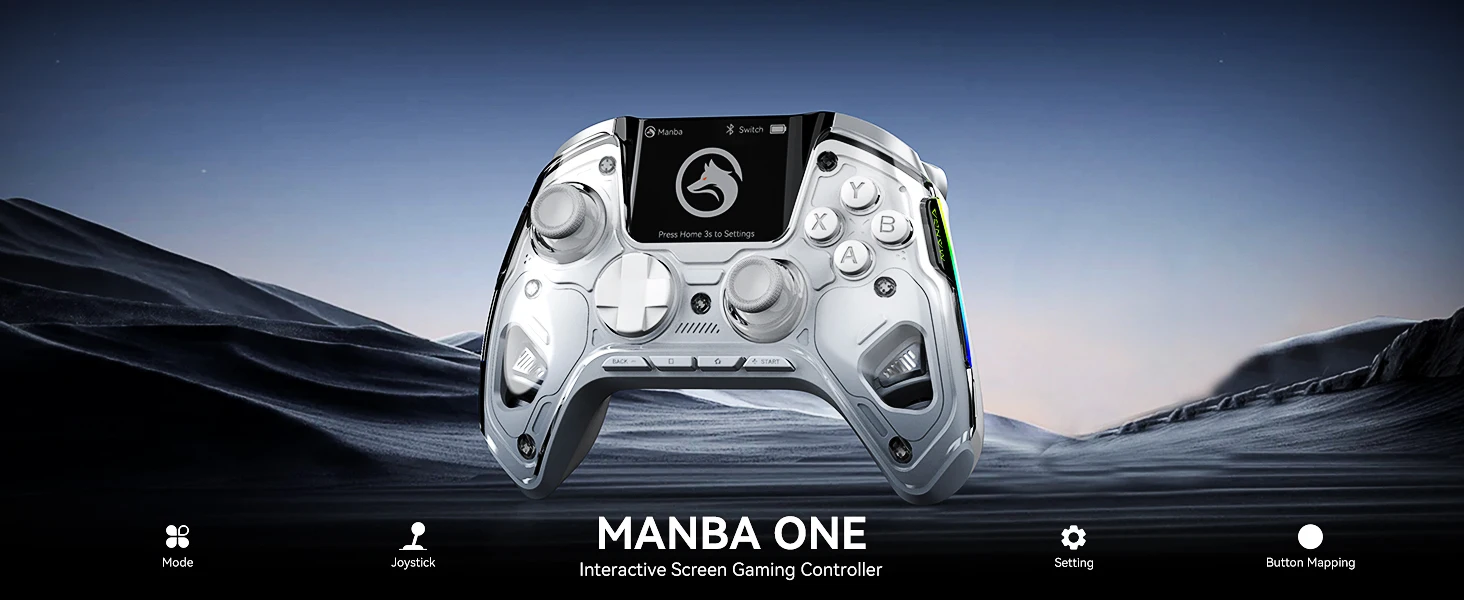
The Mamba One V2 is a modern wireless controller targeting gamers who want customization, cross-platform use, and advanced features at a mid-range price. It includes hall effect joysticks, a 2-inch interactive screen, RGB lighting, and a charging dock. Below is a detailed look at how it performs, based on hands-on reviews and tests.
If you’re looking for a controller that goes beyond the basics, the Mamba One V2 Wireless Gaming Controller is here to impress. Designed for serious gamers, it combines premium features, sleek design, and multi-platform support – all at a price that won’t break the bank.
Why the Mamba One V2 Stands Out
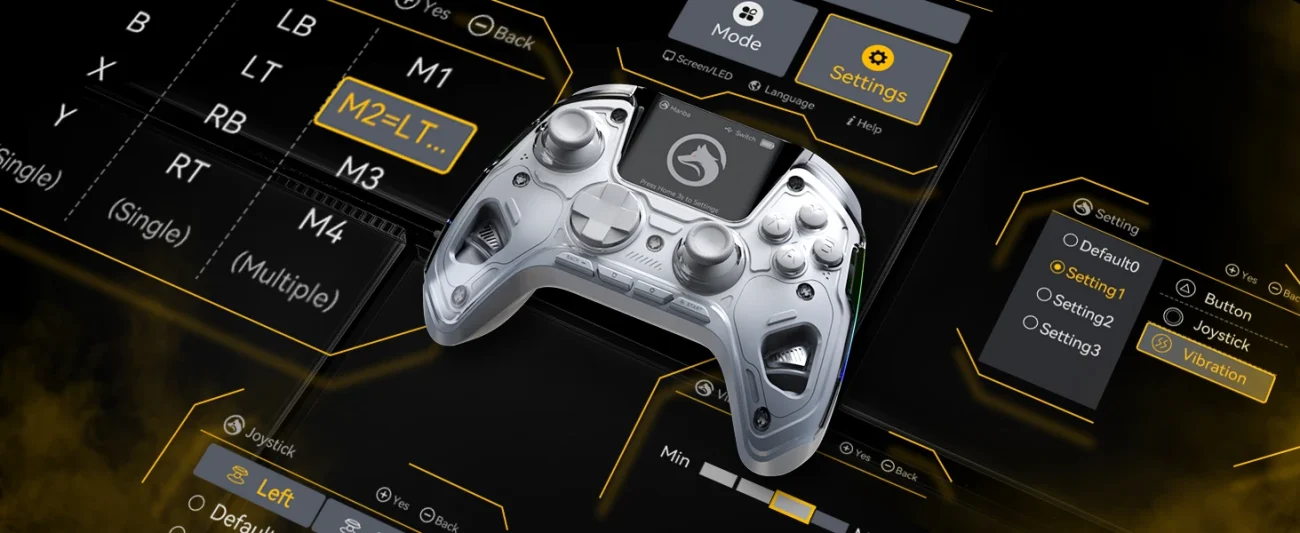
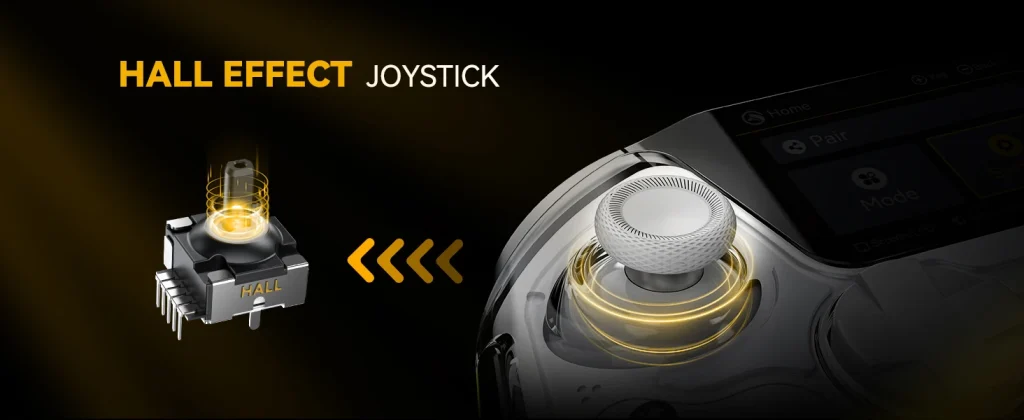
🎮 Unlike standard gamepads, this controller is built with Hall Effect joysticks, meaning no more annoying stick drift and better long-term durability. On top of that, it features an interactive screen that gives you instant access to modes, settings, and button mapping without needing extra software.
Key Features
- Hall Effect Joysticks – ultra-precise and long-lasting, eliminating drift issues.
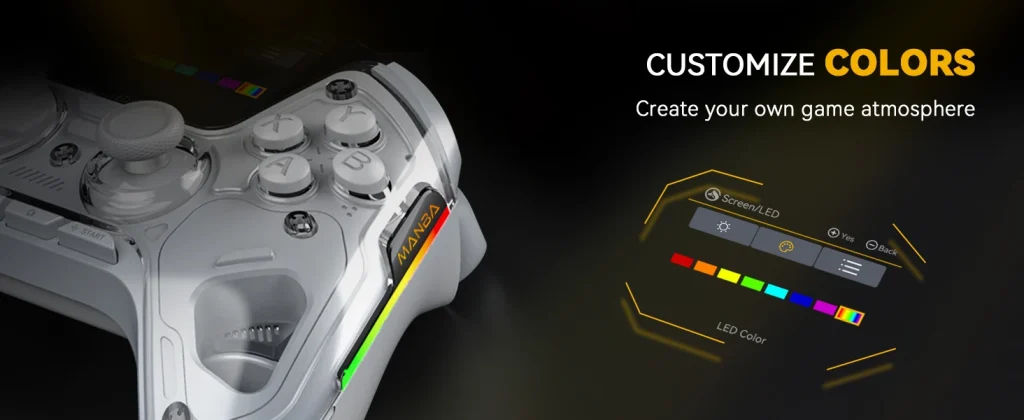
- Customizable RGB Lighting – set the perfect vibe for your gaming setup.
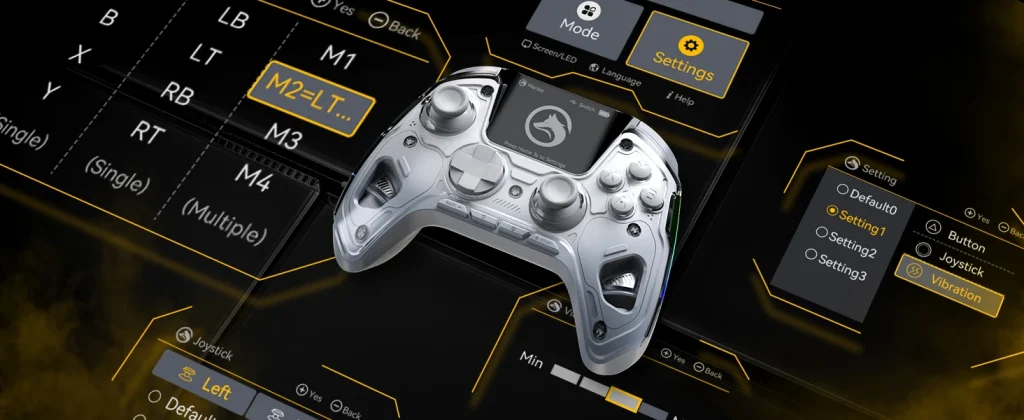
- Interactive Display Screen – change modes, remap buttons, and adjust vibration directly on the controller.
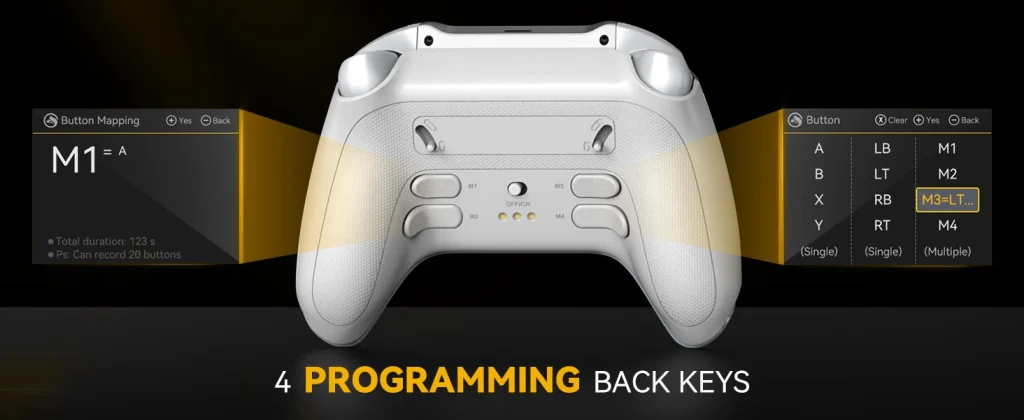
- Four Programmable Back Keys – map extra functions for competitive advantage.
- Cross-Platform Compatibility – works with Nintendo Switch, PC, iOS, and Android.
- 1800mAh Rechargeable Battery – long play sessions with fast, stable performance.
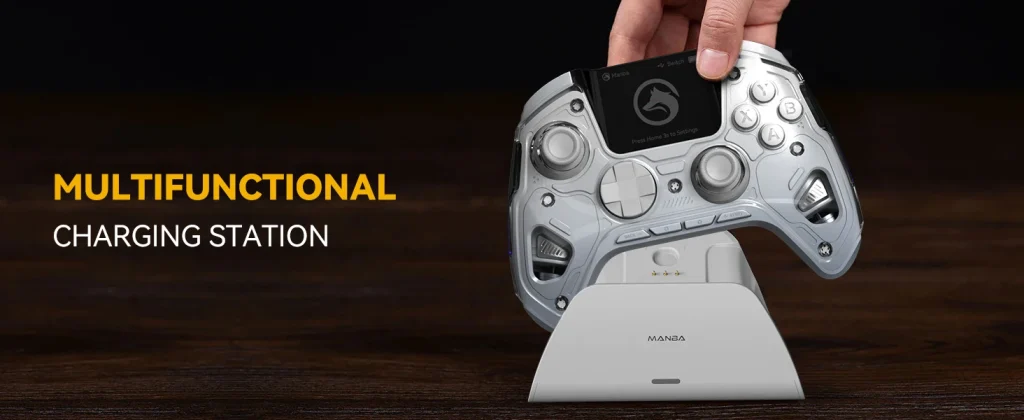
- Charging Dock Included – keep your controller ready at all times.
- Ergonomic Design – comfortable grip for marathon gaming sessions.
What’s in the Box?
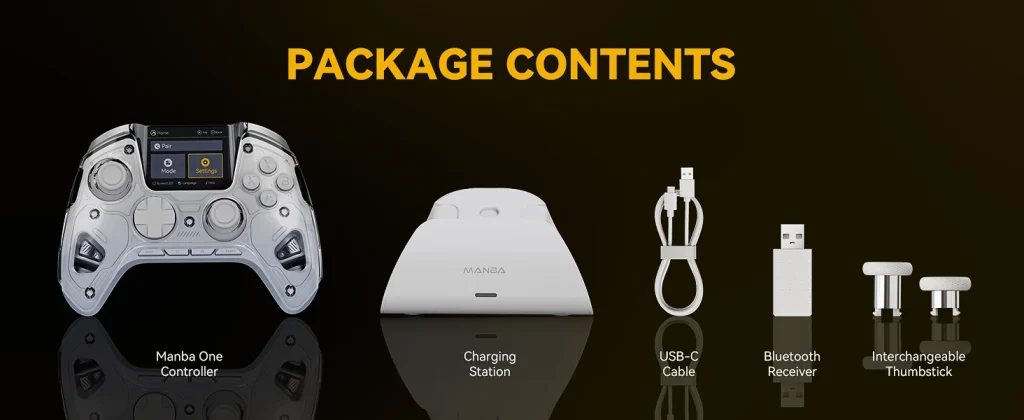
When you buy the Mamba One V2, you get more than just the controller:
- Mamba One V2 controller
- Charging dock
- USB-C cable
- Bluetooth receiver
- Interchangeable thumbsticks
Everything you need to start gaming right away.
Perfect for All Types of Gamers
Whether you’re a Switch fan, a PC gamer, or you love playing on your smartphone, this controller adapts seamlessly. The ability to customize colors, remap buttons, and program macros gives you a competitive edge in shooters, racing games, and even casual gaming.
Design & Build Quality
The design is reminiscent of the Xbox controller, making it familiar to most gamers. The onboard screen provides quick access to profiles, button remapping, vibration adjustments, and RGB settings. Build quality is generally solid, though a few reviewers noted minor issues such as sharper grip edges and back buttons that are smaller than expected.
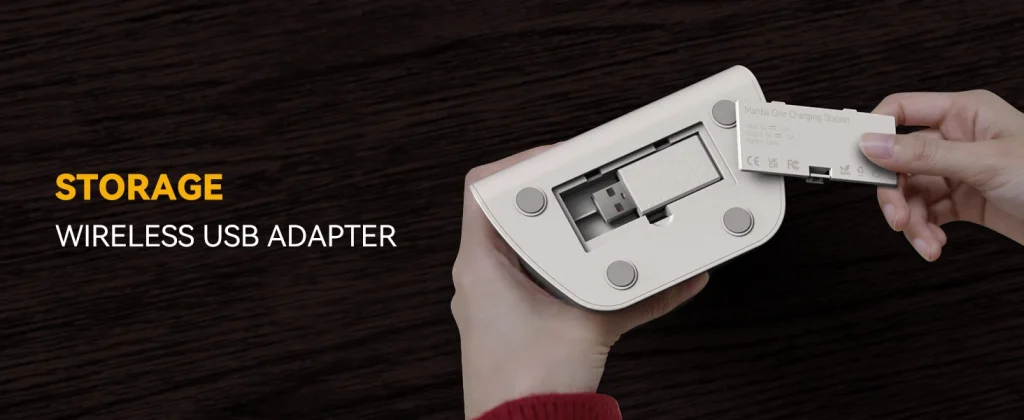
The charging dock is practical, not only for powering the controller but also for storing the wireless dongle. Ergonomics are decent, though some users found long sessions less comfortable compared to premium competitors.
Performance & Controls
Latency & Input
- Wired performance is excellent, with very low latency and polling rates up to 800 Hz.
- Wireless modes show slightly higher latency, especially over 2.4GHz, where some players measured delays in the 15–35 ms range.
- For competitive gaming, wired mode is the preferred option.
Joysticks & Triggers
- Hall effect joysticks provide drift-free precision and smooth response.
- Triggers feature adjustable travel distance (trigger lock), which benefits shooter players.
- Some reviewers found trigger feedback less tactile than high-end models.
Battery Life
The 1800 mAh battery delivers reliable performance. In practice, players reported 8–10 hours of gaming per charge, even with RGB effects enabled. Charging via dock takes between 2–4 hours depending on method, which is acceptable for this class of controller.
Strengths & Limitations
Strengths
- Hall effect sticks eliminate drift and extend lifespan
- Onboard screen allows full configuration without extra software
- Cross-platform use across PC, Switch, and mobile devices
- Charging dock adds convenience and tidiness
- Good battery endurance
Limitations
- Wireless latency is higher than in some premium controllers
- Back buttons are small and not as ergonomic
- No native support for PlayStation or Xbox consoles
- Some build tolerances could be improved
| Pros | Cons |
|---|---|
| Hall effect sticks (drift-resistant) | Wireless latency increases in 2.4G/Bluetooth |
| Onboard screen for configuration (no software needed) | No external app for advanced workflows |
| Cross-platform (PC, Switch, iOS/Android) | Not compatible with PlayStation or Xbox natively |
| Charging dock that houses dongle | Some ergonomic and button placement compromises |
| Strong calibration, good battery life | Some build tolerances — stick “elevation” reported |
Final Thoughts
The Mamba One V2 is a compelling option in the mid-tier controller market. It offers features that many competitors don’t — particularly the hall effect joystick technology and integrated screen for configuration — making it well suited for power users and tweakers. Performance in wired mode is excellent, and for many genres, the wireless modes are still acceptable.
That said, it’s not perfect: wireless latency in certain modes, marginal ergonomics, and the lack of external software might deter some users. If your usage is mostly PC/Switch and you value flexibility over absolute wireless precision, the Mamba One V2 is a strong contender. Otherwise, for uncompromised comfort or ultra-low wireless performance, you might consider premium alternatives.
👉 Ready to upgrade your gameplay? Get it now at the best price: Order Here
https://www.facebook.com/share/v/1WZK6n5qVy
How the Mamba One V2 Compares to Other Controllers
If you’re weighing the Mamba One V2 against more established options, here’s how it stacks up. The official Xbox Wireless Controller and PS5 DualSense both offer tighter first-party software integration and slightly better wireless latency on their native consoles, but neither uses hall effect sticks, so they’re still exposed to the stick-drift issue that eventually affects most analog controllers. Third-party options like 8BitDo and GuliKit KingKong controllers are the closest comparison – both have pushed hall effect joysticks into the mainstream too, and are worth cross-shopping if the Mamba One V2’s specific feature set (the onboard screen, in particular) isn’t a must-have for you.
- Xbox Wireless Controller
- PS5 DualSense Controller
- 8BitDo Hall Effect Controller
- GuliKit KingKong Controller
If you mostly game on your phone rather than PC or Switch, it’s also worth checking out our review of a mobile gaming trigger gamepad, which solves a different problem – touchscreen precision – that a standard controller like the Mamba One V2 doesn’t address on phones without clip-on mounting.
Who Should (and Shouldn’t) Buy the Mamba One V2
The Mamba One V2 makes the most sense if you split your time between PC and Switch and want one controller that follows you between them without buying separate first-party controllers for each platform. The onboard screen and remapping is a genuine convenience if you like tweaking button layouts per-game, and the drift-free hall effect sticks mean you won’t be replacing this one in a year like you might with a cheap analog stick controller.
It’s a worse fit if you’re exclusively on PlayStation or Xbox, since it has no native support there and you’d be leaning entirely on generic PC/Bluetooth compatibility rather than console-certified drivers. It’s also not the pick if wireless latency is your top priority for fast-paced competitive shooters – use it wired for that, or budget for a premium wireless option built specifically around minimizing that gap.
Mamba One V2 – Quick FAQ
Does it work on Steam Deck or other handheld PCs?
Yes – since it connects over standard Bluetooth or its USB receiver and shows up as a generic controller, it should work with Steam Deck, ROG Ally and similar handhelds the same way it works with a regular PC, though button prompts may show generic icons rather than platform-specific ones.
Can you update the firmware?
Most controllers in this category support firmware updates through a companion app or a simple drag-and-drop file update, which is worth checking for since hall effect stick calibration and button-mapping bugs are exactly the kind of thing later firmware revisions tend to fix.
Is the interchangeable thumbstick swap easy to do?
Yes – this is a common feature across hall-effect controllers in this price range, and it’s typically a simple pull-off, snap-on swap without tools, letting you switch between concave, convex or taller stick caps depending on preference.